How to Change the Language on AOMEI Cloner?
Good News: AOMEI Cloner supports multiple languages, including English, German (Deutsch), French (Français), Japanese (日本語), Italian (Italiano), Nederlands (Dutch), Spanish (Español), Turkish (Türkçe), Polish(Polskie), 简体中文 (Simplified Chinese), and 繁體中文 (Traditional Chinese). If you are trying to set it to your native language, here's how to change the language.
Steps to Change Language in AOMEI Cloner
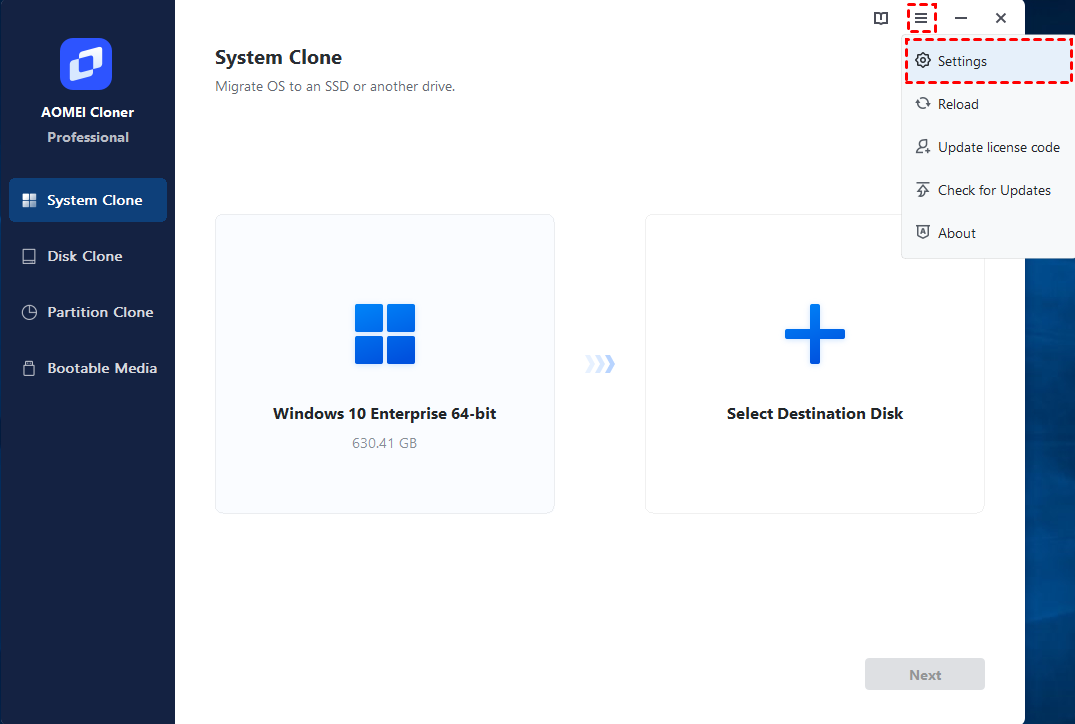
Step 1. On the Home window, click "Menu" and select "Settings" in the drop-down list.
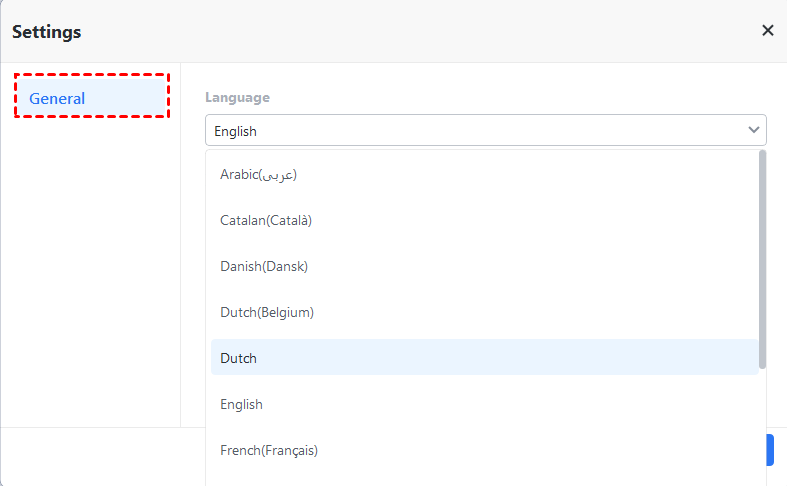
Step 2. In the pop-up window, click the "General" tab, and then you can choose the language you want to use in AOMEI Cloner. To save the change, please click the "OK" button.
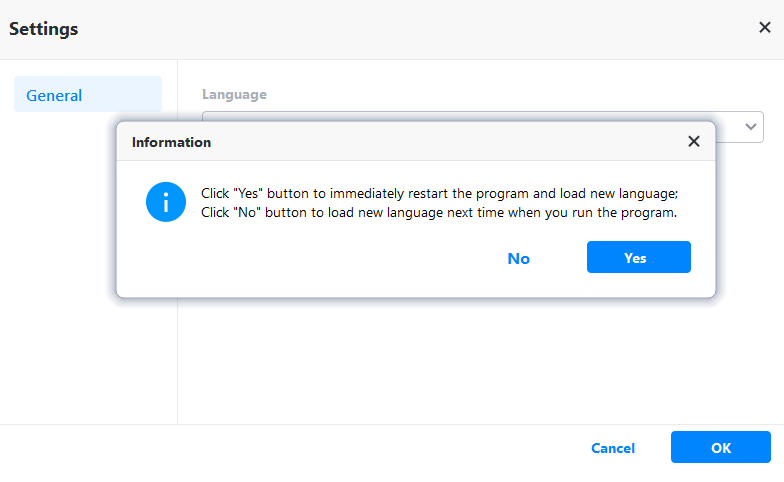
After "Step 2", an "Information" window will pop up and let you choose when you want to load a new language.
We will continue adding more languages to AOMEI Cloner. Meanwhile, we also invite translators of any language to help us enrich the AOMEI product's multi-language database. If you are interested, please help us translate. Thanks in advance!