Installation and Login
Installation and Login
How to update the program version in AOMEI FastRecovery.
Updated May 7, 2026
Introduction
AOMEI FastRecovery will be updated constantly. New versions will optimize existing features or add new ones. If you want to experience the new version in time, you can do the version update.
How to Update Version in AOMEI FastRecovery
Step 1. Once a new version is released and you are still using an older version, you will get a popup update window when launching the program.
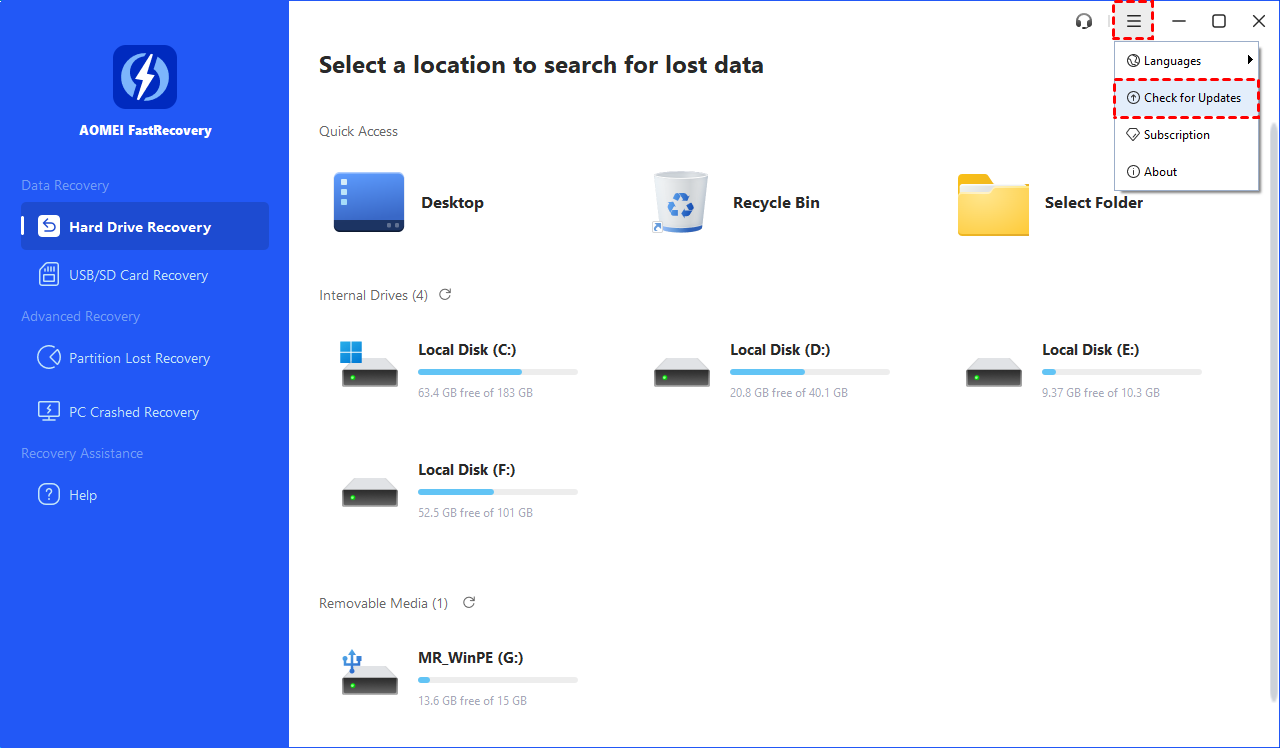
Or, you can manually click "Menu" button and select "Check for updates" in the drop-down list.
Step 2. You can click the "Download" button if there is a new version available, so you will be linked to the changelog page of AOMEI FastRecovery.
Step 3. If you are using the latest version, “is up to date” will be displayed.