Choose 3rd Party Burning Software
Note: Please prepare a blank CD/DVD or USB flash drive, because the burning process will erase all data on the disc.
UltraISO (recommended)
|
Developer: EasyBoot Systems Inc License: Free Trial Size / OS:3.8MB / All Windows Trial Limitations: File size limit (300MB) |
|
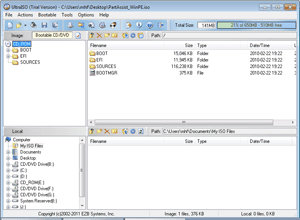
UltraISO is a powerful, convenient, and practical CD image file making/edit/conversion tool. It could not only burn a bootable CD/DVD but also burn a bootable USB flash drive. View details: How to burn ISO file to disc |
Nero
|
Developer:Nero License:15 days for trial Size / OS:122MB/ Windows XP / Vista / Vista64 / Win7 /Win 7 x64 |
|
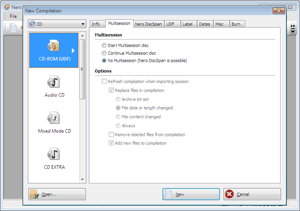
Nero is a first-class burning software, which allows you to burn your data, music and videos to disc. It's easy to handle burning projects in just a few steps. Brief steps to burn a bootable CD/DVD with Nero: After launching Nero, select the disc type to be burned (CD/DVD/Blu-ray) on the left panel-> define the project type-> add the ISO file, click the Open button, and start burning. |
BurnAware Free(recommended)
|
Developer: BurnAware Technologies License:Free Size / OS:4.8MB / Windows All |
|
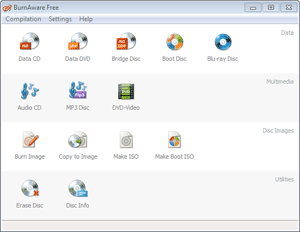
Looking at the main window, you can see that it is a full-featured and easy-to-use burning software. View details: How to burn ISO file to disc |
Free ISO Burner
|
Developer:FreeISOBurner.com License:Freeware Size / OS:800k / Windows All |
|
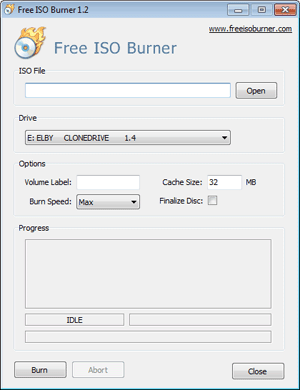
It is a specialized ISO burner and has a simple user interface, very easy to use. You just need to add the required ISO, select the disc type to be burned, and then start burning. View details: How to burn ISO file to disc |