



Norton Ransomware Protection: Full Guide & Best Alternative
Is Norton ransomware protection good? How does Norton ransomware protection work? Read this post to get a complete guide and learn an alternative for PC data safety protection.

By Jonna Updated on May 13, 2026


What is Ransomware Protection on Norton?
Norton, here referring to Norton Antivirus (360), is a long-established cybersecurity solution, widely used by home users, small businesses, and enterprises seeking reliable defense against malware, ransomware, phishing, and other online risks. At its core, Norton Antivirus focuses on real-time threat detection and prevention. It combines traditional signature-based scanning with advanced behavioral analysis.
And for Norton ransomware protection, which is a built-in feature within Norton's antivirus and security suites, it is designed to prevent unauthorized encryption of your files. Ransomware works by silently infecting a device, encrypting personal or business data, and demanding payment for a decryption key. In many cases, even paying the ransom does not guarantee recovery.
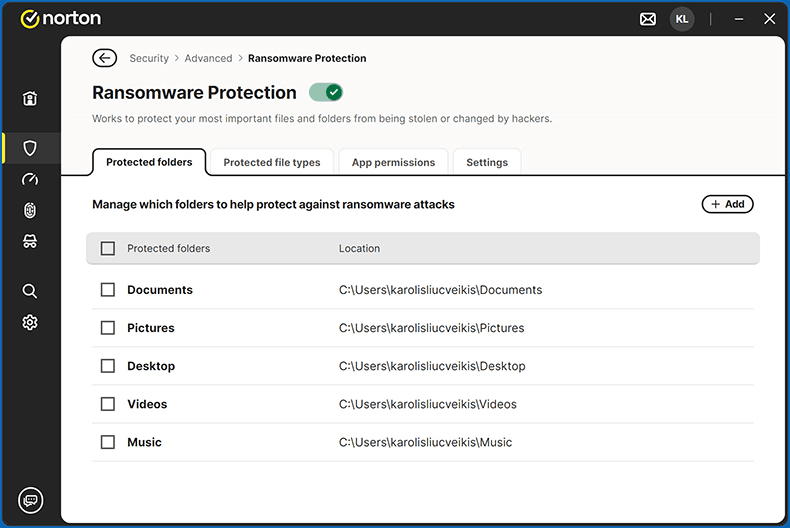
Norton addresses this threat using behavior-based monitoring and real-time detection. Instead of relying solely on known malware signatures, it analyzes suspicious activity patterns. If a program attempts to encrypt multiple files rapidly or access protected folders without authorization, Norton intervenes immediately. Unlike traditional antivirus programs that primarily focus on viruses and spyware, Norton Ransomware Protection targets file-encryption threats.
Norton Ransomware Protection Features
Norton ransomware protection includes several security mechanisms designed to stop encryption attacks before they cause damage. Its key features include:
#1. Real-Time Threat Protection. It runs continuously in the background and scans downloads, email attachments, system processes, and external devices. If suspicious behavior is detected, the program halts execution before encryption can begin.
#2. Data Protector. It works by monitoring protected folders, blocking unauthorized applications from modifying files, and alerting you when unknown processes attempt access.
#3. Cloud Backup. Certain Norton 360 plans include secure cloud storage. If ransomware bypasses detection (rare but possible), your data can be restored from backups.
#4. Firewall & Network Protection. Norton's firewall helps prevent ransomware from communicating with command-and-control servers. Cutting off communication can disrupt encryption or payment instructions.
For Norton ransomware protection cost, it depends on the subscription plan selected. It is not typically sold as a standalone product. Instead, it is included within broader Norton security packages. For example, Norton 360 Deluxe - protects 5 devices for $4.17 per month on 1 year plan.
How to Enable Norton Ransomware Protection
In most cases, Norton ransomware protection is enabled automatically once the software is installed. However, it is important to verify that the feature is active and properly configured. Follow these steps:
Step 1. Open Norton from the system tray or desktop shortcut.
Step 2. Navigate to Settings, select Security, and then Advanced.
Step 3. Locate the Ransomware Protection or Data Protector section. Toggle the switch to On.
Step 4. And then click Add under Protected folders to add important folders to the protected list, or go to Protected file types to add types of files for protection.
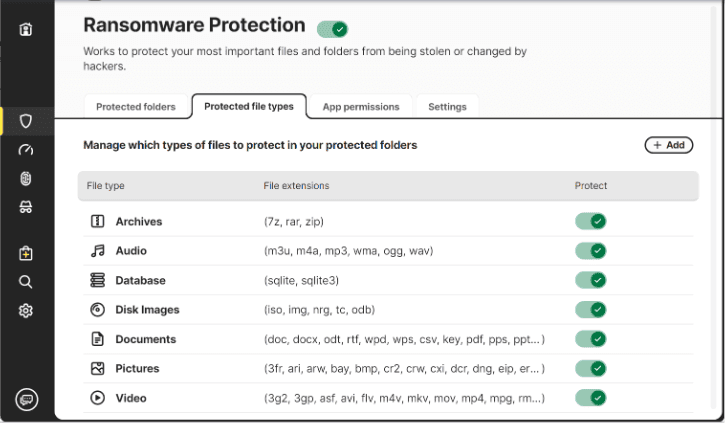
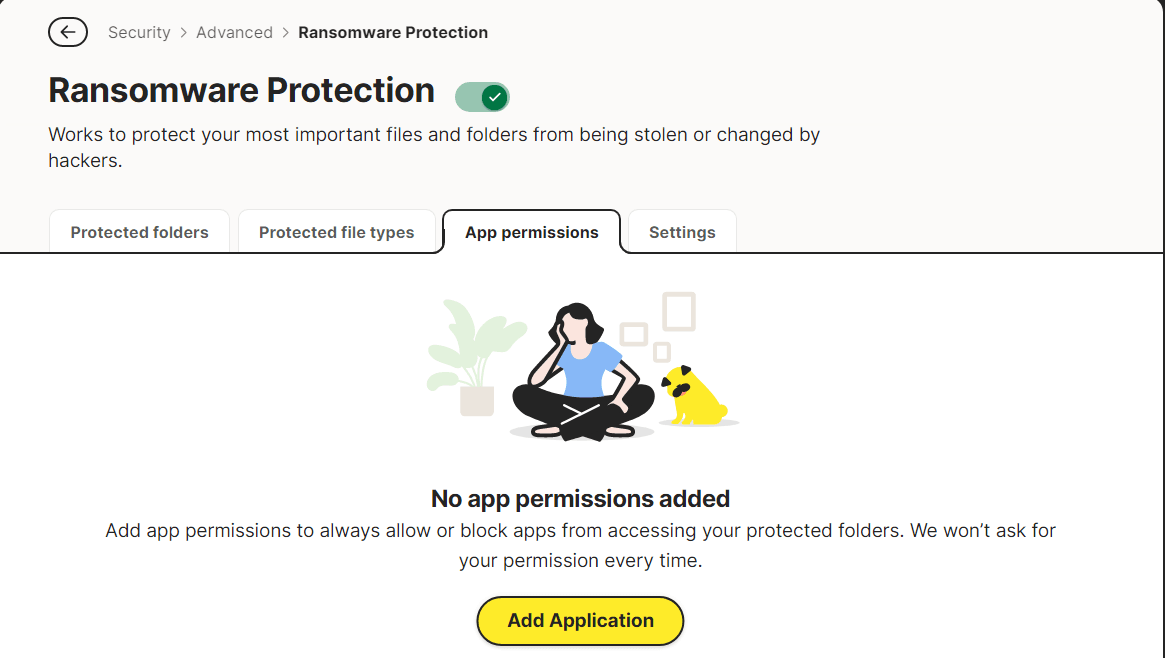
You can also go to App permissions to allow or block apps from accessing the protected folders if needed.
Alternative Ransomware Protection Software for Windows PCs
While antivirus-based ransomware protection is critical, it is not foolproof. No security software can guarantee 100% prevention of attacks. That is why cybersecurity experts recommend layered protection strategies. One of the most effective complementary strategies is maintaining reliable system backups. Backup software does not stop ransomware from entering your system. Instead, it ensures that encrypted data can be restored without paying a ransom.
AOMEI Backupper is one such solution that strengthens ransomware resilience. Unlike antivirus software, this tool focuses on data protection and recovery. Below is a list of its key features, along with explanations of how they contribute to ransomware resilience.
 AOMEI Backupper
- System Backup - Creates a complete image of your operating system, installed applications, and settings. If ransomware encrypts your system, you can restore it to a clean state quickly.
- File & Folder Backup - Allows selective backup of important documents, photos, and business files. This ensures critical data remains safe even if other files are compromised.
- Scheduled Automatic Backups - Enables daily, weekly, or monthly backup scheduling. Automation ensures continuous protection without manual intervention.
- Bootable Rescue Media - Creates a recovery USB or CD. If ransomware locks your system, you can boot from rescue media and restore your system image.
- Ransomware Protection - Protect backup images, specific file types, and specific files/folders per your need.
 100% Secure
Step 1. Run AOMEI Backupper on your computer, head to Tools > Ransomware Protection.
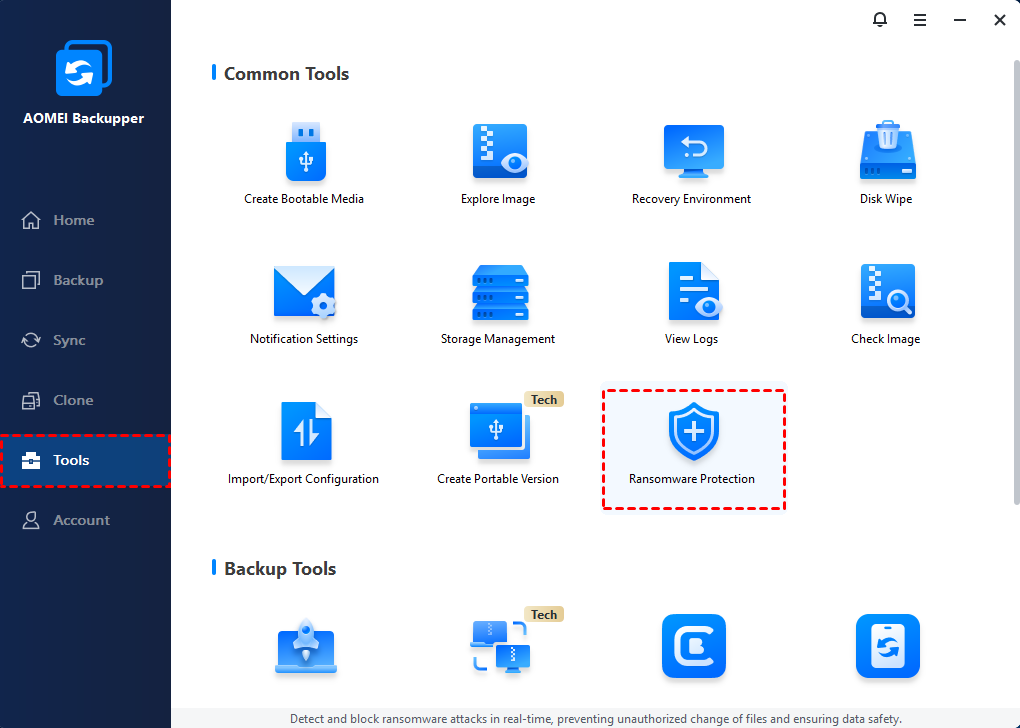
Step 2. Enable the Ransomware Protection feature.
Step 3. Tick the checkbox next to Protect Backup Images of AOMEI Backupper (checked by default), Protect Specific File Types, or Protect Specific Files and Folders as needed.
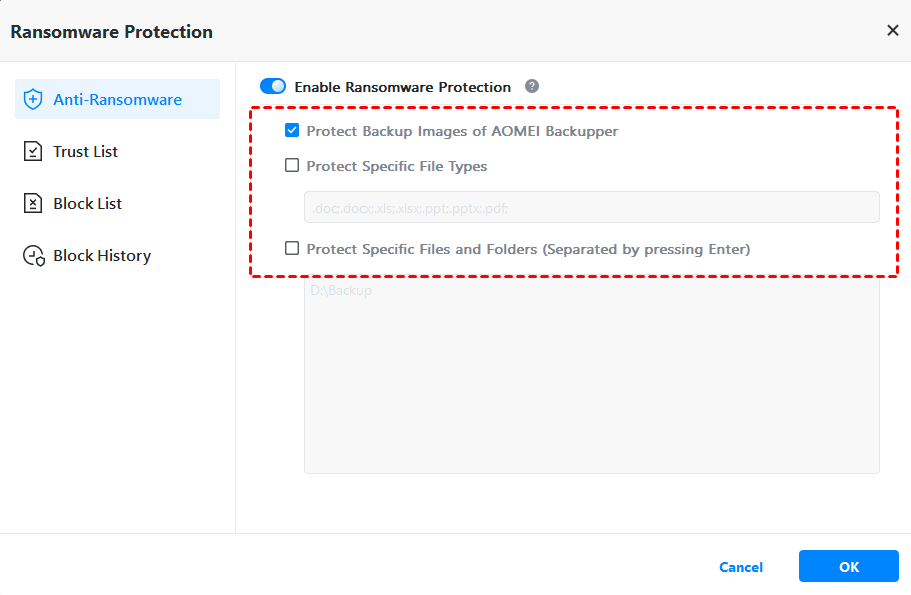
Step 4. Add the specific file type extensions or folder paths, and click OK.
FAQs on Norton Ransomware Protection
#1. Does Norton antivirus protect against ransomware?
Yes. Norton antivirus includes ransomware protection features such as behavioral monitoring and file protection controls. These tools are designed to block unauthorized encryption attempts before files are locked.
#2. Which antivirus is best for ransomware?
Norton ransomware protection is considered strong due to its behavior-based detection and cloud intelligence. Other reputable antivirus providers also offer ransomware defense. The best choice depends on budget, required features, and device coverage.
#3. Which is better, McAfee or Norton?
Both offer robust protection. Norton is often praised for its strong ransomware defense and system optimization tools. McAfee provides broad security coverage and identity protection features. The better choice depends on user preferences and specific security needs.
Conclusion
Norton ransomware protection provides proactive defense by monitoring suspicious activity, blocking unauthorized encryption attempts, and safeguarding critical folders. For many users, it delivers reliable security within an integrated antivirus package. However, no antivirus solution can offer guarantees. That is why combining it with reliable backup software such as AOMEI Backupper creates a stronger security solution.

 as a preferred
source on Google
as a preferred
source on Google