




Norton 360 Not Opening on Windows 11/10: How to Fix
In this guide, you’ll learn why Norton 360 may fail to open and how to resolve the problem effectively. We’ll also introduce a reliable alternative for PC protection, so you don't have to worry about being unprotected.

By Jonna Updated on May 13, 2026


Why Norton 360 is Not Opening?
Norton 360 is a complete package of antivirus and cybersecurity tools produced by Norton. Except for various digital protection features, it adds a full-powered cross-platform VPN, a dark web monitoring system, deepfake protection, scam protection, and more.
However, recently, many users report that Norton 360 not opening on Windows 11/10 happens from time to time, with a white window with a spinning circle, and then the error message - We encountered an error.

Before diving into solutions, you can first understand what might be causing the issue.
- Corrupted installation files: If some Norton files are damaged or missing, the application may fail to open entirely.
- Conflicts with Windows updates: A recent Windows update can sometimes interfere with third-party software compatibility.
- Background service issues: Norton relies on multiple background services. If these services stop running, the main interface won’t open.
- Insufficient permissions: Without administrative rights, Norton may not be able to execute essential operations.
- Interference from other security software: Running multiple antivirus programs can cause conflicts and prevent Norton from launching.
- Outdated software version: An outdated version of Norton 360 may not be fully compatible with Windows 11 or newer system patches.
- System performance glitches: Temporary bugs, memory issues, or system lag can also block applications from opening.
What to Do if Norton 360 Not Opening on Windows 11/10?
If you’re troubled by the "Norton 360 does not open" issue, follow the methods below. Before that, you can click the Restart application button to run the software again and see if that resolves the issue.
Method 1. Restart Computer
Restarting your computer is often the first step to fixing minor software glitches, including cannot open Norton 360. A restart closes all running programs and services, clears the system cache, and resets any temporary issues that might be preventing Norton 360 from launching.
Just save all open work, and then click the Start button > select the Power icon, and choose Restart. If possible, try restarting your computer while disconnected from the internet to ensure a complete restart.
Method 2. Reinstall Norton
If restarting your PC doesn't work, try to reinstall Norton 360. This helps replace any corrupted files, resets permissions, and ensures you have the latest version installed.
Step 1. Press Windows + I to open Settings.
Step 2. Go to Apps > Installed Apps, and then locate Norton in the list.
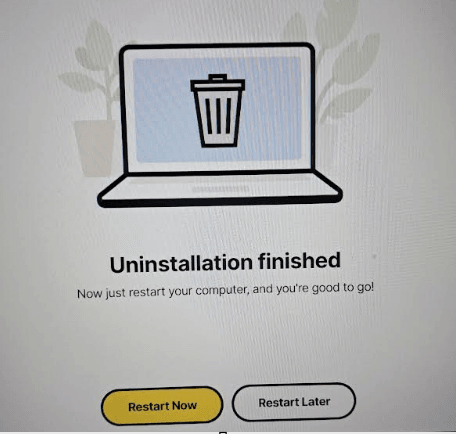
Step 3. Click Uninstall and follow the prompts. Then, restart your computer and then download the latest version from the official Norton website and check if the Norton 360 not opening on Windows 10/11 problem persists.
Method 3. Run Norton 360 with Administrator Privileges
Insufficient permissions can also prevent Norton 360 from opening on Windows. Running the program with administrator privileges gives it access to all the system resources it needs to launch and run properly. Here's how to resolve Norton 360 won't open:
Step 1. Locate the Norton 360 shortcut on your desktop, right-click it, and select Run as administrator.
Step 2. If this resolves the issue, you can set it to always run with admin rights: right-click the Norton shortcut > select Properties > go to the Compatibility tab > check Run this program as an administrator and click OK.
Method 4. Run Norton Remove and Reinstall Tool
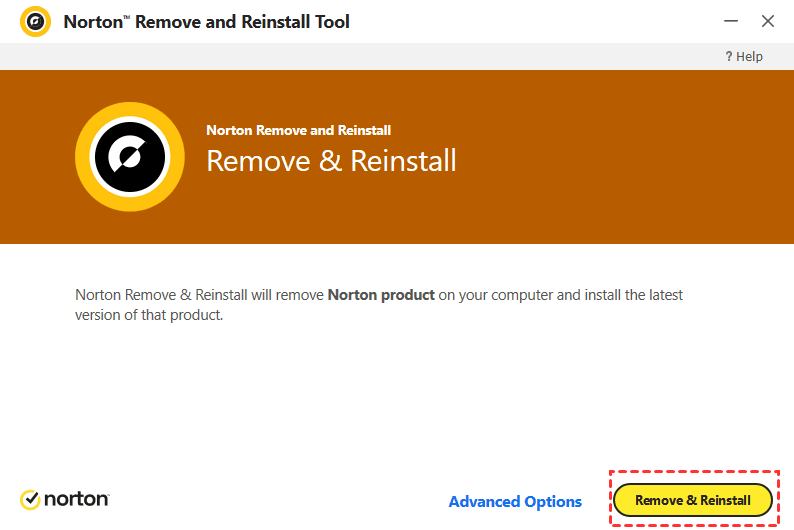
Norton Remove and Reinstall Tool (NRnR) is designed to completely remove all Norton products and leftover files from your PC, ensuring a clean installation. It's more thorough than a standard uninstall and can resolve issues that a regular reinstall can’t. Here’s how to use it to fixNorton 360 will not opening on Windows 11/10:
Step 1. Download the Norton Remove and Reinstall Tool on your computer.
Step 2. Right-click the NRnR.exe file and select Run as administrator.
Step 3. Then, click on Remove & Reinstall and follow the on-screen instructions to get rid of Norton 360 will not open.
Try Alternative PC Protection Software - AOMEI Backupper
If the Norton 360 not opening on Windows 11/10 problem continues, it may be worth considering alternative solutions. While antivirus software focuses on threat prevention, backup software provides another layer of protection by safeguarding your data. One such tool is AOMEI Backupper, which offers reliable backup and recovery features.
Instead of relying solely on antivirus protection, having a backup solution ensures that even if something goes wrong, malware, system crash, or software failure, you can restore your data quickly. Here are some of its key features:
 AOMEI Backupper
- System Backup: Create a full backup of your operating system, including settings and installed programs.
- Disk and Partition Backup: Protect entire drives or specific partitions with ease.
- Ransomware Protection: Prevent unauthorized modifications to backup files, created with AOMEI Backupper, or specific file types or file paths.
- Easy restore: Quickly restore your entire system or recover lost files, even using the created bootable media when the computer fails to start.
 100% Secure
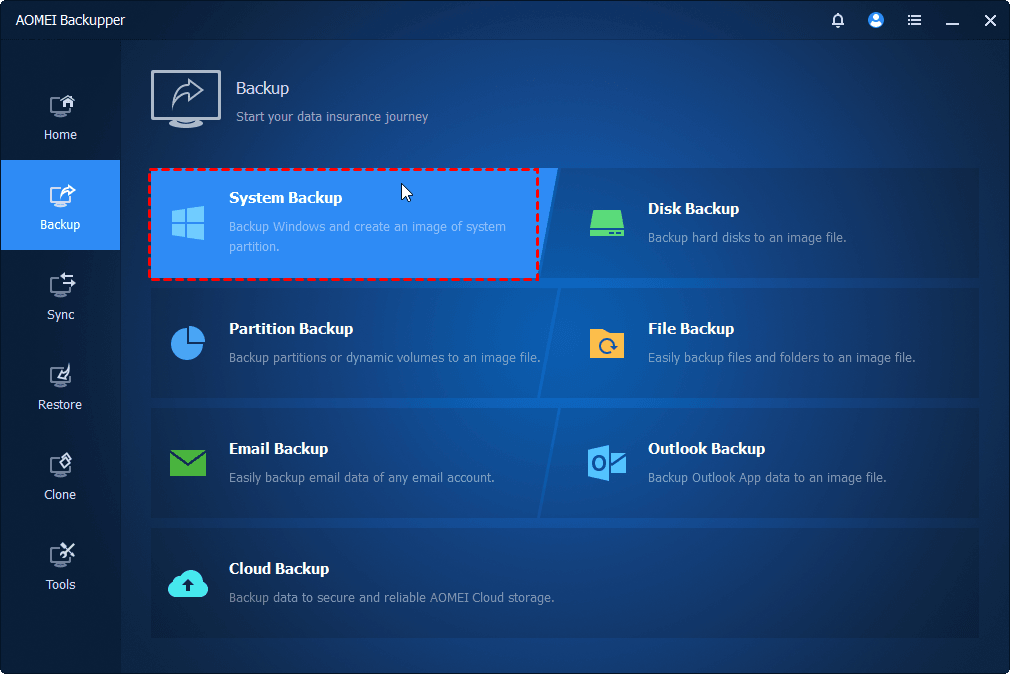
Step 1. Launch AOMEI Backupper, select Backup and a backup option, like System Backup, to create a system image.
Step 2. Then, go to Tools > Ransomware Protection.
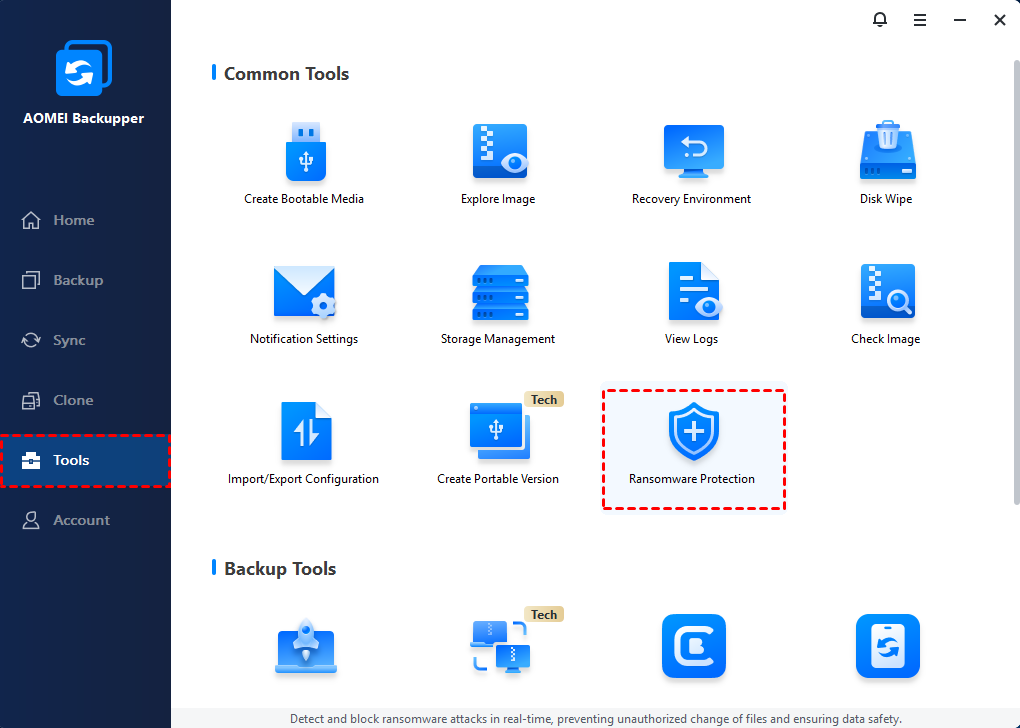
Step 3. Enable Ransomware Protection and go on to choose the options as needed:
- Protect Backup Images of AOMEI Backupper: Ticked by default to protect backup image files you have created with AOMEI Backupper.
- Protect Specific File Types: Protect specific file types by adding file extensions like .doc, .pdf, .ppt, etc.
- Protect Specific Files and Folders: Protect some important files or folders by adding their paths, like C:\ProgramData, etc.
After that, click OK to save the changes. Block History is offered to check the apps that have attempted to modify your protected data.
Final Words
We have covered the most common causes of the Norton 360 not opening on Windows 11/10 issue and walked you through detailed solutions.
If none of these methods work, it may be time to consider an alternative PC protection solution. AOMEI Backupper is an excellent choice for Windows users, offering robust ransomware protection, automatic backups, and easy restoration.

 as a preferred
source on Google
as a preferred
source on Google