



How to Fix Clone Failed Error Code 6 on Windows?
Learn how to fix Clone Failed Error Code 6 on Windows using simple steps. You can also use an alternative to clone a failing drive on Windows PCs.

By Irene Updated on June 3, 2026


Why does Error Code 6 appear on Macrium Reflect?
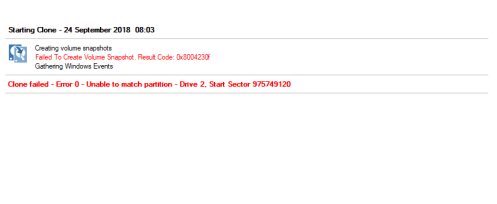
When you clone a disk, you may run into the common “clone failed error code 6” message. This error usually appears when something on the drive prevents the software from reading or copying data smoothly. In many cases, the source drive has bad sectors, a damaged file system, or CRC errors that interrupt the process. Sometimes the issue comes from a locked drive, which often happens with Xbox hard disks. Other times, the problem is as simple as an unstable cable, a loose connection, or a program on your computer blocking disk access. Because several factors can trigger this error, understanding these common causes makes it much easier to find the right fix and complete the cloning successfully.
| Cause | Description |
|---|---|
| Bad sectors | Damaged areas on the source disk prevent data from being read during cloning. You can check and fix the partition to solve the problem. |
| File system corruption | Broken or inconsistent file system structures interrupt the cloning process. |
| CRC errors | Read errors occur when the disk cannot return accurate data. |
| Locked drive | The drive is password-protected or locked, often seen with Xbox hard disks. |
| Unstable or loose connections | Faulty cables, ports, or internal connections break the data transfer. |
| Software conflicts | Background programs or security tools block access to the disk. |
| Failing disk | The drive may be degrading and unable to support a complete clone operation. |
Besides error code 6, Macrium Reflect may also show errors like clone failed error 9, error 0, error 8, read failed 13 broken pipe, 0x8000ffff, permission denied, or read/write failed 22. These issues usually come from similar causes such as bad sectors, damaged files, loose cables, or software conflicts. Knowing these patterns makes it easier to identify the real problem and choose the best solution.
How to fix Clone Failed Error Code 6 on Windows PCs?
Fix 1. Check the cable connection
A loose or faulty cable can cause problems when copying data from an external hard drive. This may trigger Macrium Reflect error 6, sometimes called "read failed 23." It usually happens when the connection between your computer and the drive is not stable.
To fix this, first check that the cable is securely connected. If you see any dirt or dust in the ports, clean it carefully. If the problem continues, try using a new cable, as old cables can wear out over time.
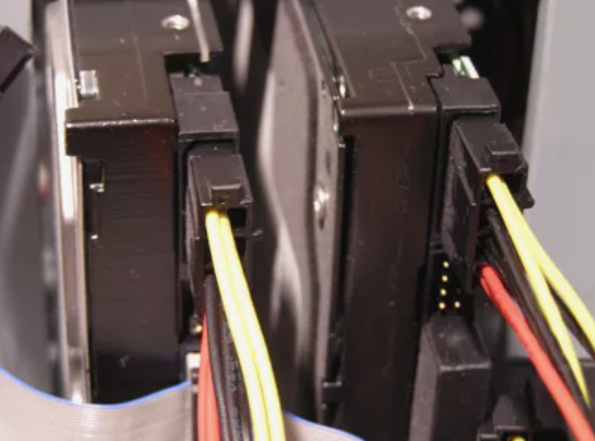
After confirming that the connection is stable, you can proceed with your data copying. If the connection seems fine but you still encounter issues, there are further troubleshooting steps you can take to resolve the problem.
Fix 2. Check bad sectors on your hard drive
Macrium Reflect errors 6, 0, 9, or 23 can happen because of problems with your disk. Check the source disk if you are reading data, or the destination disk if you are saving data. Using command lines to fix disk issues can be complicated and risky. To make it safer and easier, you can use a tool like AOMEI Partition Assistant. It is a reliable program that helps solve many common disk and computer problems.
 AOMEI Partition Software
A safe and reliable disk partition management tool that helps you migrate OS to SSD or HDD, reorganize disk space, and improve overall PC performance.
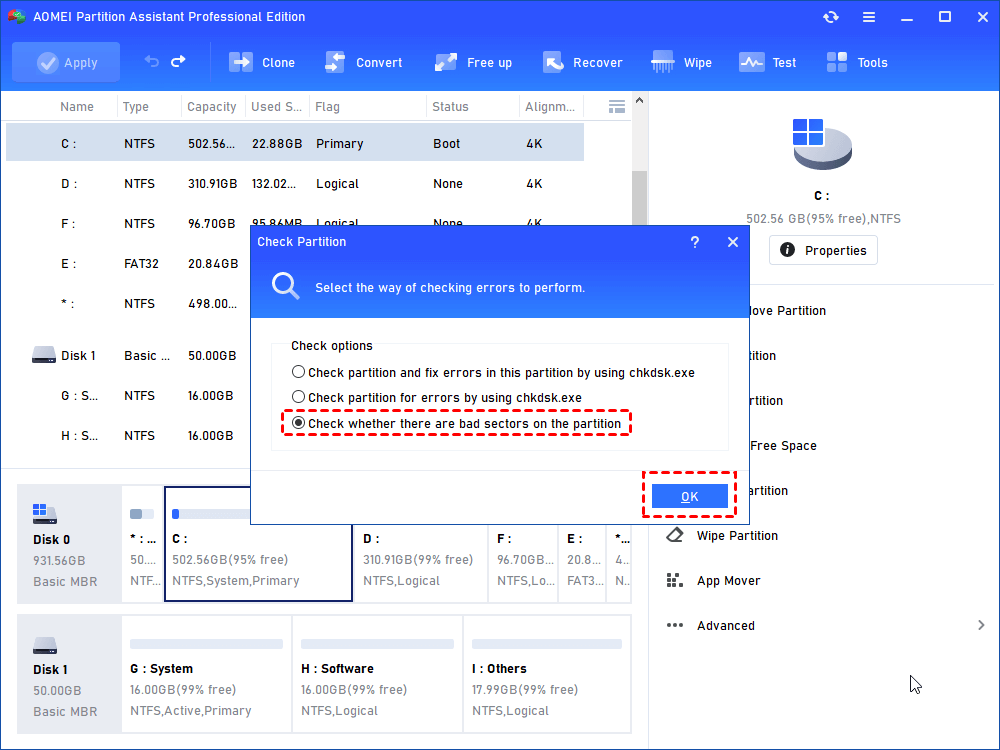
Step 1. Choose a partition that you want to check, right-click it and choose "Advanced" > "Check Partition".
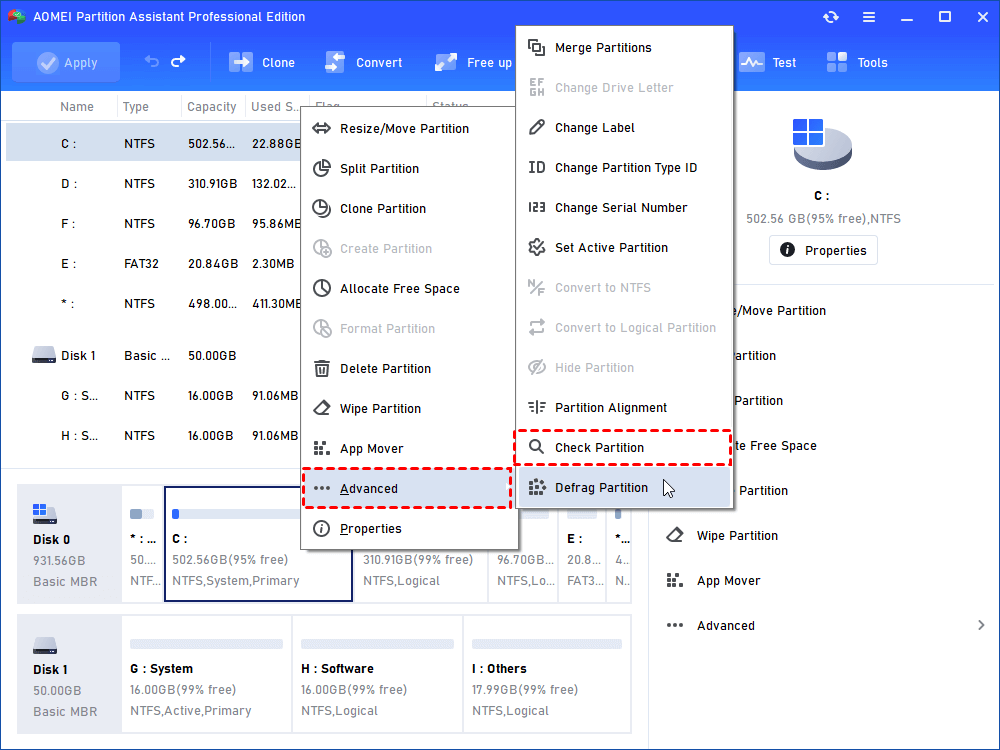
Step 2. There are three choices, simply choose the last one "Check whether there is bad sector on the partition" . And click "OK" to go to next step.
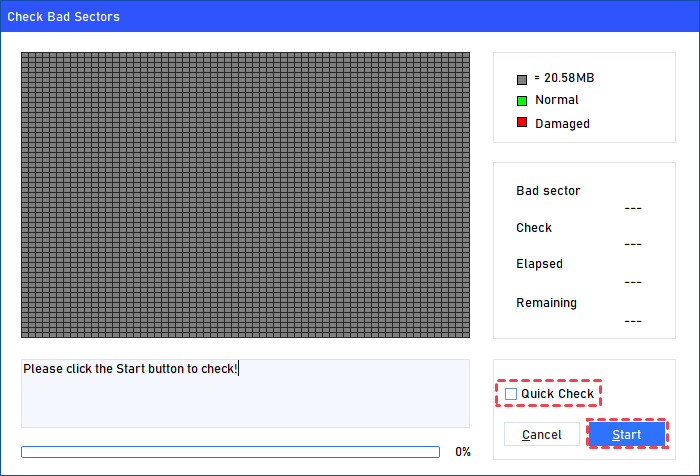
Step 3. Click "Start" to check for bad sectors. It will display the count and remaining time. For a faster scan, use "Quick Check." Afterward, you can view both normal and damaged sectors.
Fix 3. Use Partition Assistant to clone disk with bad sectors
When a disk has bad sectors, cloning with Macrium Reflect may fail, and many users find the error difficult to fix. If you are not familiar with complex repair steps, using a reliable alternative is often the easiest and safest choice. AOMEI Partition Assistant is a good alternative for this task. It is a disk and partition manager for Windows 11, 10, 8, 8.1, and 7, and its “Disk Clone Wizard” helps you clone a hard disk in a simple and secure way. You can get upgrades of AOMEI products.
It supports cloning a single partition, cloning a large disk to a smaller one, and cloning an internal disk to an external disk without brand limits. Besides disk cloning, it also offers useful features such as moving folders or installed programs, extending partitions, migrating the system, and converting disks between MBR and GPT without losing data. In this part, we will show you how to carry out a sector-by-sector clone for an SSD or HDD using this tool.
Before you begin, make sure the target disk has enough unallocated space to receive all the sectors from the source disk. If not, delete or shrink other partitions to create unallocated space. The target disk must be the same size or larger than the source disk, and remember to back up any important files on the target disk because they will be erased during the sector-by-sector cloning process.
AOMEI Partition SoftwareA safe and reliable disk partition management tool that helps you migrate OS to SSD or HDD, reorganize disk space, and improve overall PC performance.
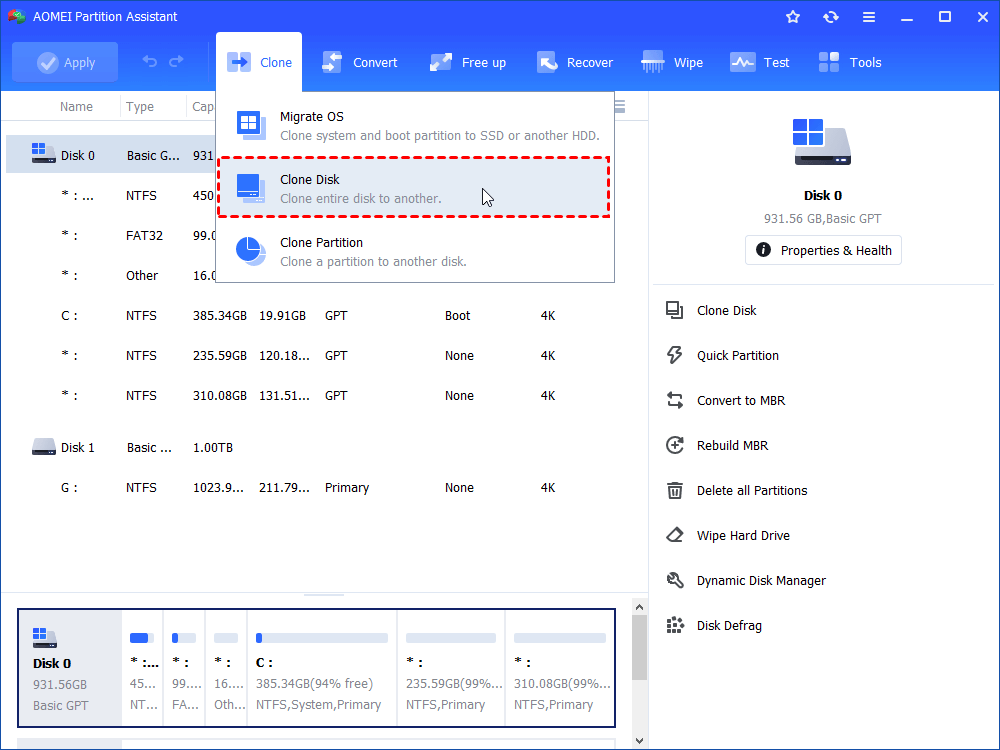
Step 1. Install and launch AOMEI Partition Assistant, click "Clone" in the main interface and select "Clone Disk".
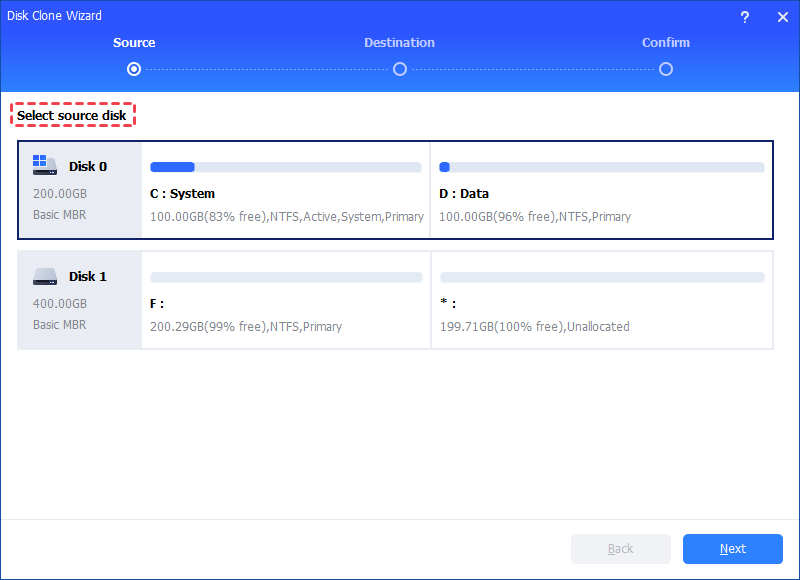
Step 2. Choose the hard disk that you need to clone as the source disk and click "Next".
Step 3. Select the destination disk to store the data on the source disk, and then click "Next".
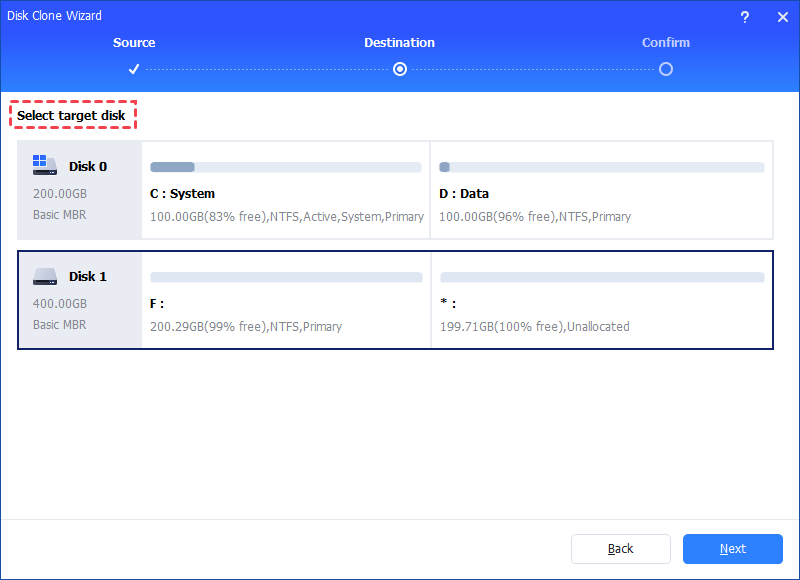
Step 4. Then, you can check the source and destination disk in the next window or change to “Sector to Sector clone” if your drive has bad sectors, and click the "Confirm" button to continue if there is no problem.
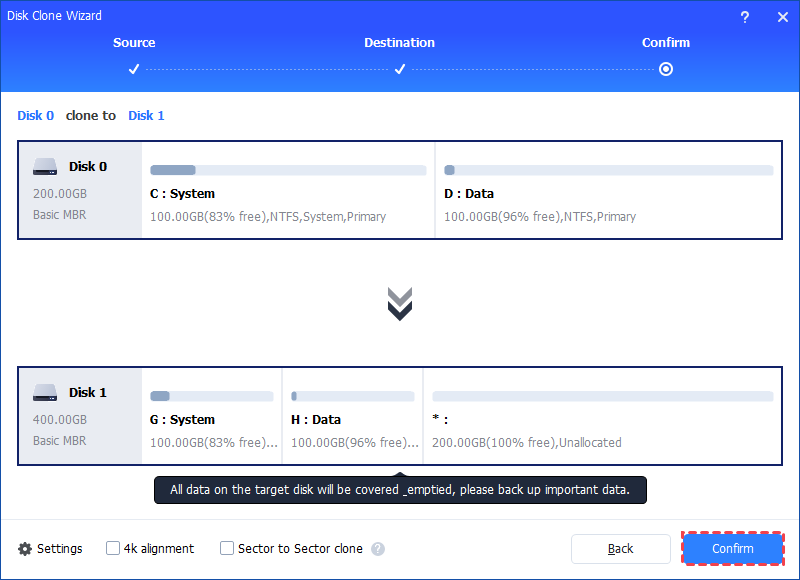
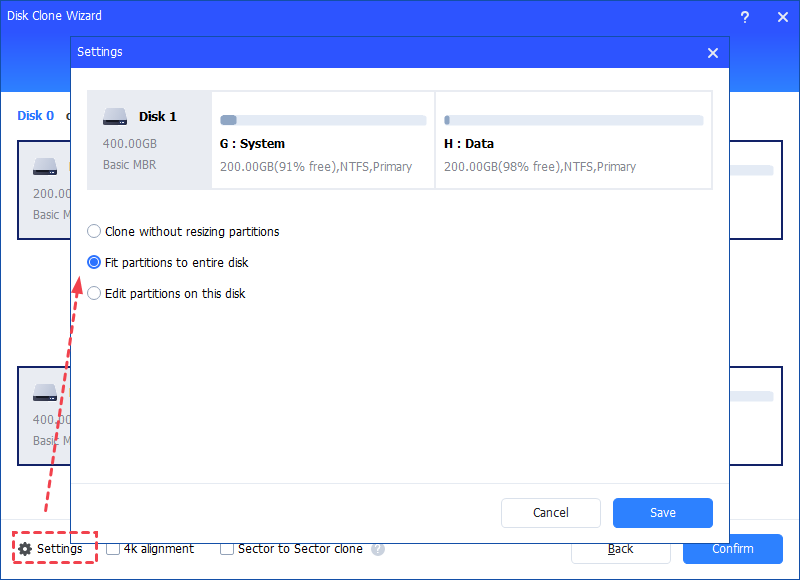
Here, you can also click the "Settings" button to adjust the partition size on the destination disk or tick "4k alignment" to improve the reading and writing speed of SSD if the target disk is an SSD drive.
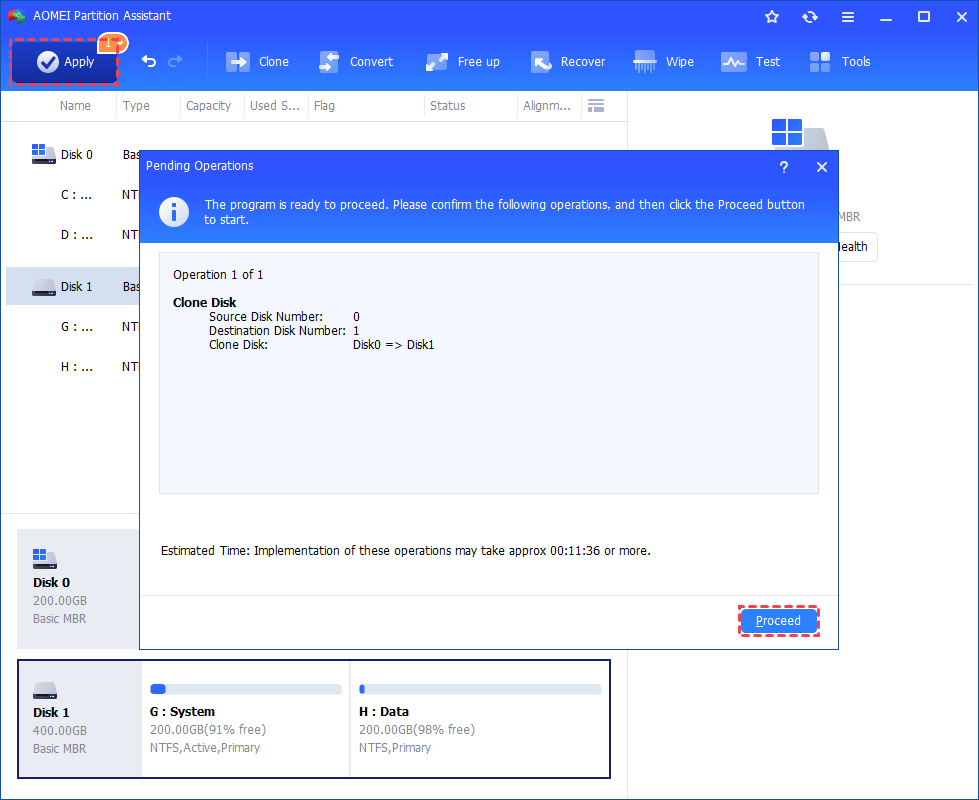
Step 5. At last, click "Apply" and "Proceed" in the main interface to start cloning the hard drive.
Step 7 (optional). Boot computer from the cloned SSD or HDD.
7.1. Reboot your computer and press a specific key (usually the DEL, ESC, F2, F8, F9, F10, F11, F12) constantly to enter the BIOS menu.
7.2. In the BIOS tab, use the arrow keys to set the cloned SSD/HDD as the prior boot drive, and save the changes and exit. Then boot computer from the cloned disk.
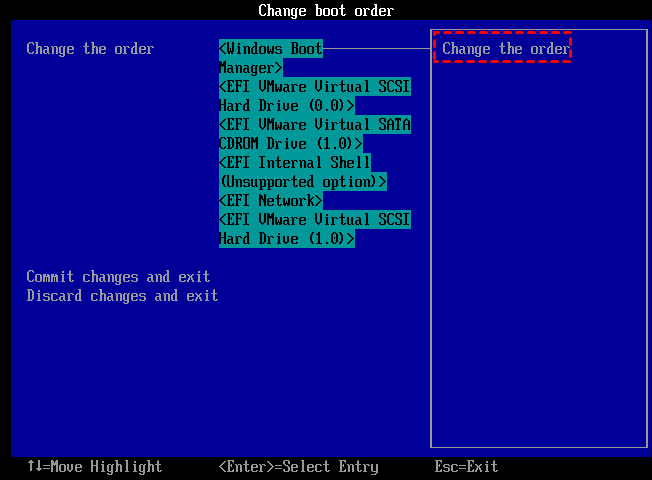
If you encounter PC is always returning to PreOS mode after reboot, you can click to get solutions.
Conclusion
Error Code 6 in Macrium Reflect often comes from issues such as bad sectors, file system damage, loose connections, or software conflicts. By understanding these common causes, you can choose the most suitable fix and make the cloning process smoother. If the problem continues or the disk has serious bad sectors, a reliable tool like AOMEI Partition Assistant can offer an easier and safer way to complete your disk clone. We hope this guide helps you handle the error with confidence and keep your data protected.
AOMEI Partition SoftwareA safe and reliable disk partition management tool that helps you migrate OS to SSD or HDD, reorganize disk space, and improve overall PC performance.

 as a preferred
source on Google
as a preferred
source on Google