



Best Free Fanxiang SSD Clone Software for Windows 11/10/8/7
Want to clone your hard drive to a Fanxiang SSD without reinstalling everything? Find the best free software for Windows and a step-by-step guide here.

By Lily Updated on August 12, 2026


Does Fanxiang Provide Official Disk Cloning Software?
Yes — Fanxiang does provide official SSD utility software, but it’s not just a generic cloning tool like third-party products — it’s a bundled management utility with several features. This official software is typically called Fanxiang SSD Toolbox or SSD Management Software and can be downloaded from the manufacturer’s drivers page.
Fanxiang SSD Toolbox can display detailed drive info (health status, temperature, SMART data, firmware version, etc.) and includes a drive cloning function that lets you copy a source drive to a target Fanxiang SSD.
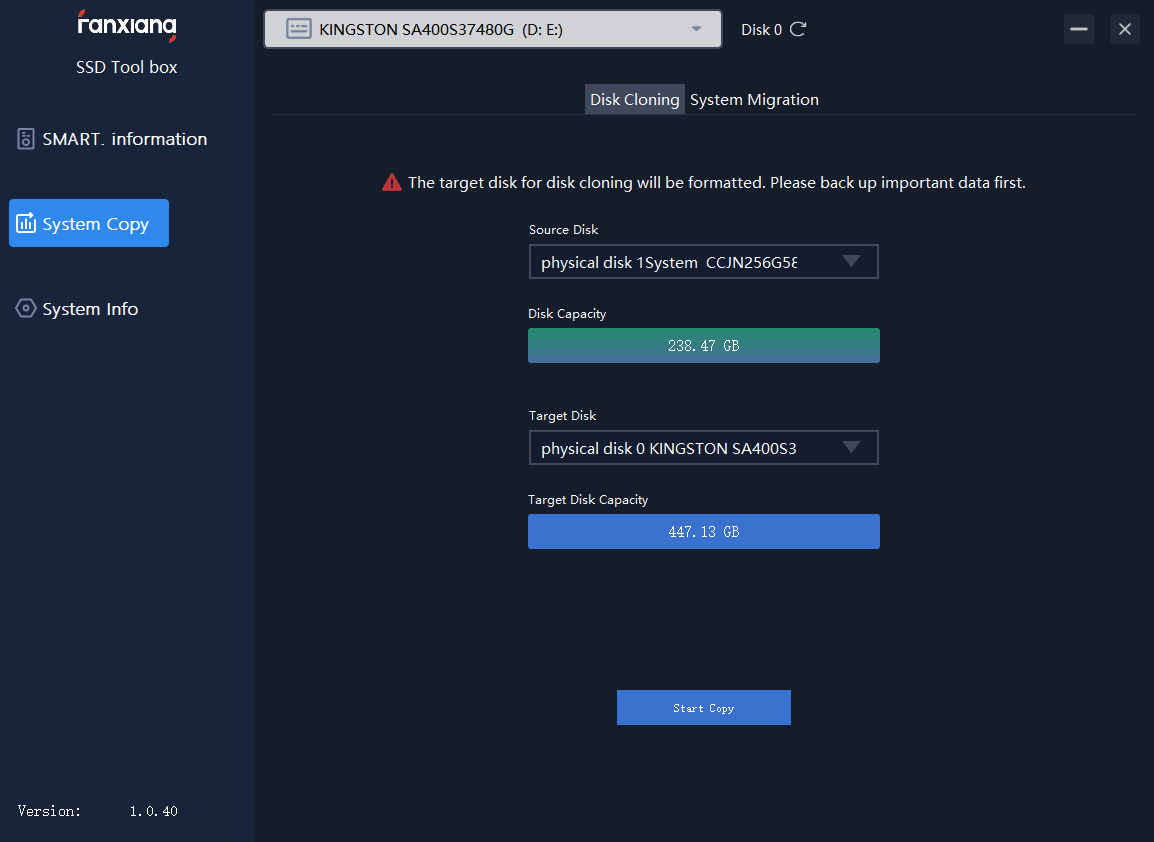
However, this official utility is more of a management and info tool with cloning included, rather than a stand-alone robust disk migration application. If you want a more reliable, flexible, and user-friendly cloning experience, please read on.
Best Free Fanxiang SSD Clone Software – AOMEI Cloner
AOMEI Cloner Free is a dedicated disk-cloning utility developed for Windows systems that simplifies the process of copying entire drives or specific partitions. It’s designed to support a wide range of SSDs — including SATA, NVMe, and M.2 formats — making it a good match for Fanxiang SSD upgrades.
 AOMEI Cloner
- Disk Clone: Makes an exact copy of any source disk — including data, partitions, and structure — to your Fanxiang SSD, ideal when upgrading or backing up.
- Partition Clone: Lets you clone only certain partitions if you don’t need everything on the source drive.
- SSD Alignment: Automatically aligns partitions for SSDs during the cloning process, improving performance and longevity on Fanxiang and other SSDs.
- Bootable Media Creation: Allows cloning outside the Windows environment, useful if your system doesn’t boot normally.
 100% Secure
Download AOMEI Cloner and install it on your PC now!
How to Clone a Hard Drive to a Fanxiang SSD Step by Step
In this part, I’ll show you how to clone a hard drive to a Fanxiang SSD with AOMEI Cloner. You can also use these steps to clone a Fanxiang SSD to another SSD. Before you start, make sure everything is ready:
- Connect the Fanxiang SSD to your computer (via SATA cable, USB-to-SATA adapter, or NVMe enclosure).
- Ensure the Fanxiang SSD has enough capacity to hold all used data on the source hard drive.
- Back up important data in case of unexpected interruptions.
Now follow the instructions below:
Step 1. Launch AOMEI Cloner. In the main interface, click Disk Clone from the left panel.
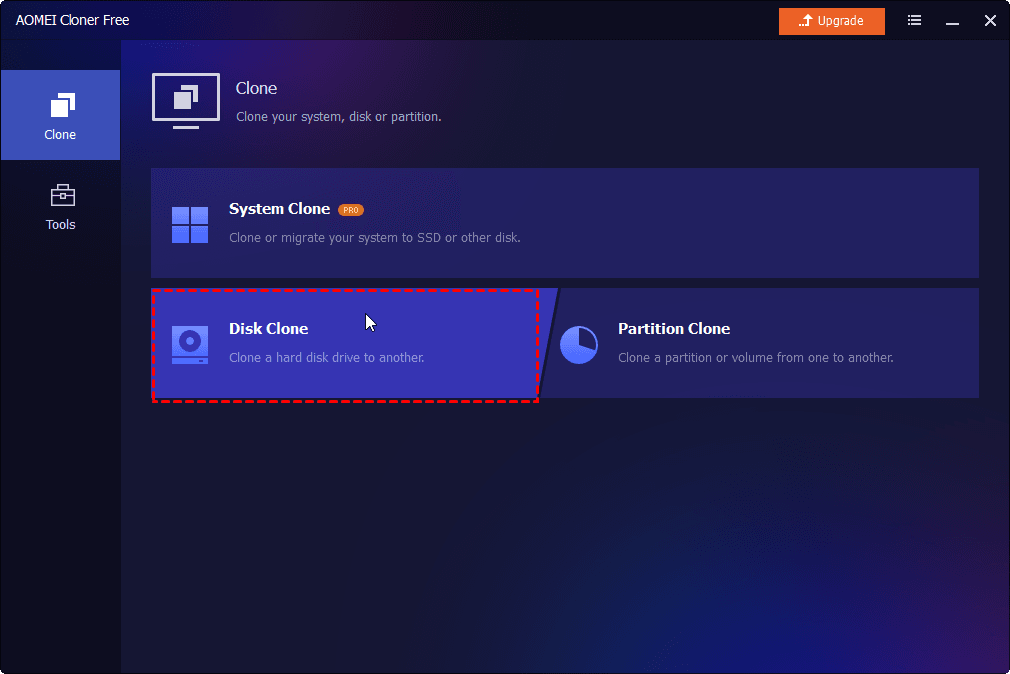
💡Tip: The Free edition only supports cloning non-system disks. If you want to clone a disk containing OS, please upgrade to AOMEI Cloner Professional.
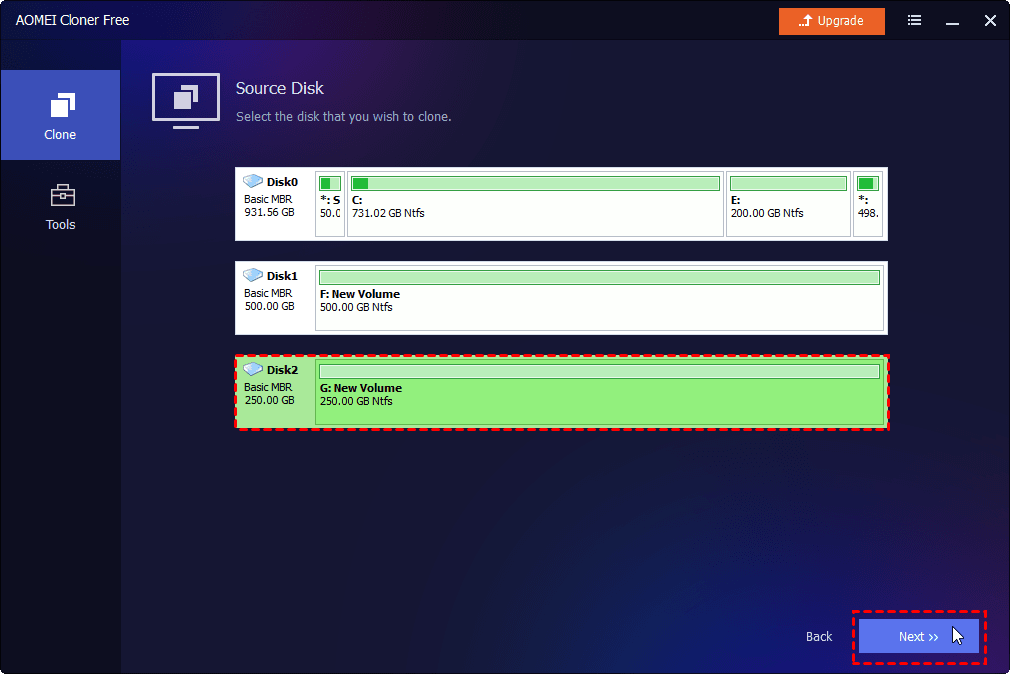
Step 2. Click Select Source Disk to select your current hard drive and click Select Destination Disk to choose Fanxiang SSD respectively.
Step 3. Check the SSD Alignment option to improve read/write performance of your Fanxiang SSD. After confirming all settings, click Start Clone.
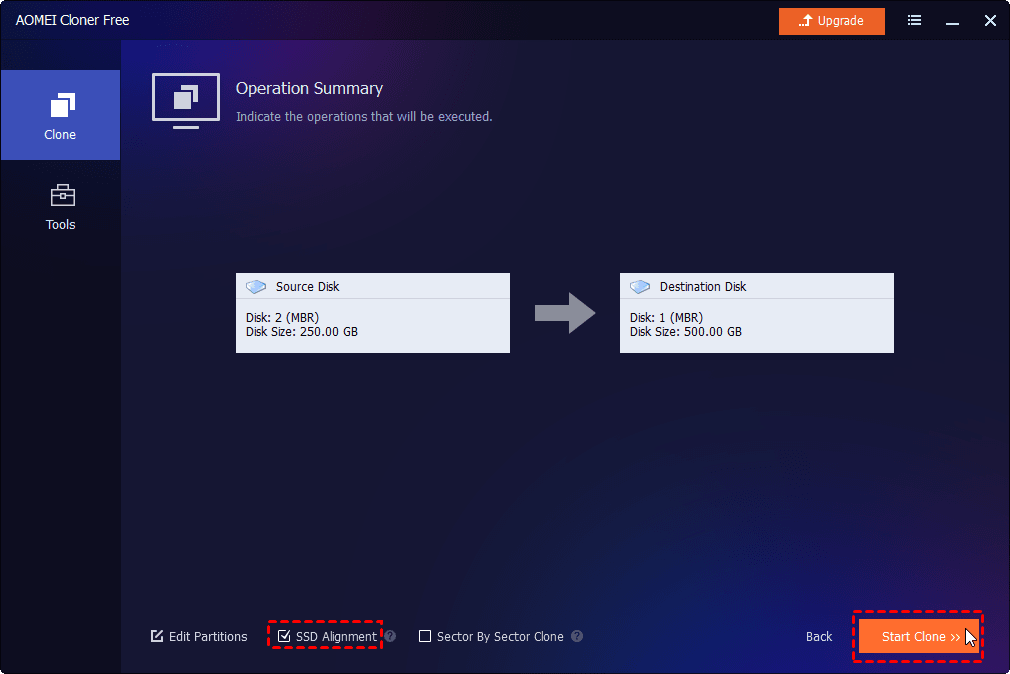
Step 4. You'll be prompted that all data on the Fanxiang SSD will be erased during cloning. If you are sure to continue, click Start Clone.
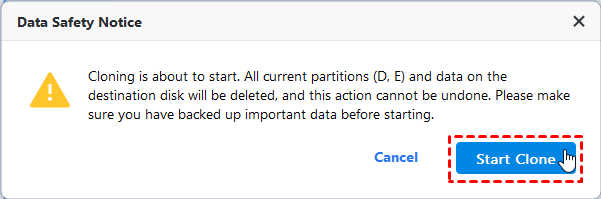
Step 5. The cloning time depends on the amount of data and disk speed. You can use your computer during the cloning process as AOMEI Cloner supports hot clone.
FAQs about Fanxiang SSD Clone Software
1. Can I use Fanxiang’s official software to clone any hard drive to my Fanxiang SSD?
Yes, the Fanxiang SSD Toolbox supports cloning a source drive (HDD or SSD) to a Fanxiang SSD, but it lacks advanced options such as selective partition cloning, sector-by-sector mode, or resize-on-the-fly.
2. Can I clone a large HDD to a smaller Fanxiang SSD?
Yes, you can do it with AOMEI Cloner as long as the used data on the source drive fits within the total capacity of the destination SSD.
3. What if my Fanxiang SSD doesn’t show up in the cloning software?
If the SSD isn’t detected:
- Ensure it’s correctly connected and recognized by BIOS/UEFI
- Check in Windows Disk Management for uninitialized or unformatted status
- Try updating firmware or drivers as needed
4. What should I do if my cloned Fanxiang SSD fails after migration?
If the SSD won’t boot:
- Check BIOS boot order
- Verify that the system partition was cloned correctly
- Use boot repair tools (Windows startup repair, third-party utilities)
Learn more from: cloned SSD won’t boot.
To Sum Up
Fanxiang SSD Toolbox can handle basic disk cloning tasks, but its built-in cloning feature is limited in flexibility, control, and overall reliability. For a smoother and safer upgrade, you may use a dedicated Fanxiang SSD clone software - AOMEI Cloner.
It offers broader compatibility with Fanxiang SSDs, SSD-specific optimization, and a higher success rate. Besides Fanxiang SSDs, you can also use it to clone HDD to WD SSD, KIOXIA SSD, and Samsung SSD, etc. Why not try it now?

 as a preferred
source on Google
as a preferred
source on Google