




Free 3rd-party Burning Software
This post introduces 4 ISO burn software helping you to easily make a bootable CD/DVD or USB flash drive.

By Owin Updated on December 10, 2024


The following 4 iSO burn software can help you to burn a ISO file to disc or flash drive.
Note: Please prepare a blank CD/DVD or USB flash drive, because the burning process will erase the data on the disc.
UltraISO(Recommended)
Developer: EasyBoot Systems Inc License: Free Trial Size / OS: 3.8MB / All Windows Trial Limitations: File size limit (300MB) Dowload UltraISO
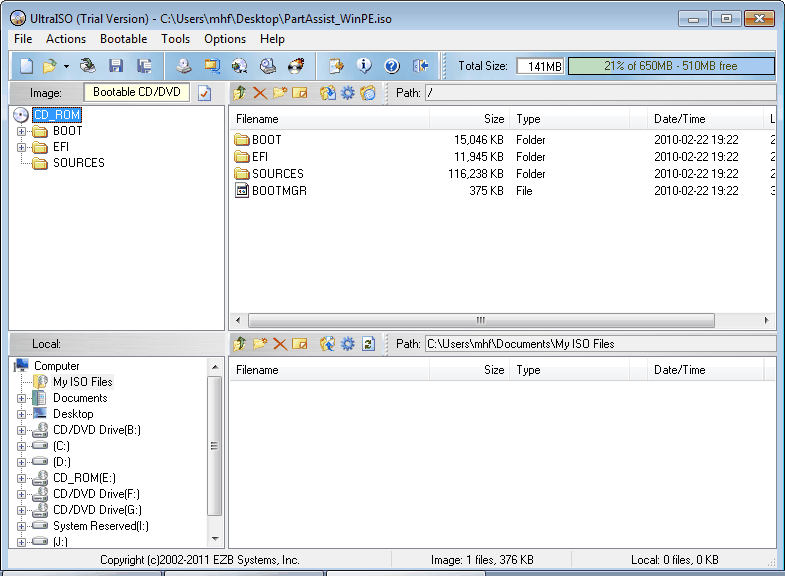
UltraISO is a powerful, convenient and practical CD image file making/edit/conversion tool. It could not only burn bootable CD/DVD but also could burn bootable USB flash drive.
View details: How to burn ISO file to disc or flash drive
Nero
Developer: Nero License: 15 days for trial Size / OS: 122MB/ Windows XP / Vista / Vista64 / Win7 /Win 7 x64 Download Nero
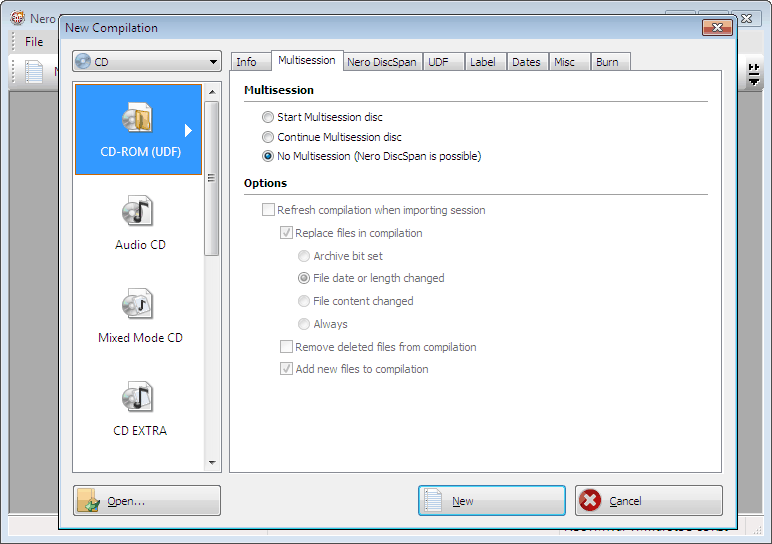
Nero is the first-class burning software, which allows you to burn your data, music and videos to disc. It was easy to handle the burning projects just in a few steps.
Briefly steps to burn bootable CD/DVD with Nero:
After you launch Nero select the disc type to be burned (CD/DVD/Blu-ray) on the left panel-> define the project type-> add the ISO file clicking "Open" button at the left bottom and then start burning.
Burnware Free (Recommended
Developer: BurnAware Technologies License: Free Size / OS: 4.8MB / Windows All Download BurnAware Free
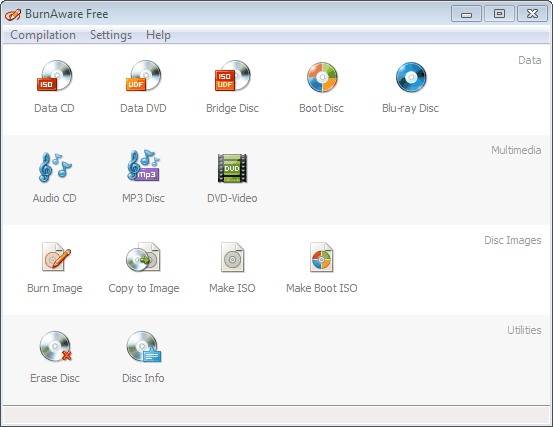
Looking at the main window, you can see that it is a full-featured and easy-to-use burning software.
View details: How to burn ISO file to disc or flash drive
Free ISO Burner
Developer: FreeISOBurner.com License: Freeware Size / OS: 800k / Windows All Download FreeISOBurner
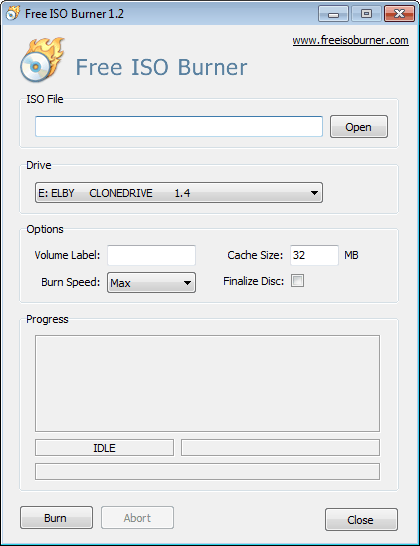
It is a specialized ISO burner and has a simple user interface and very easy to use. You just need to add the required ISO, select the disc type to be burned and then start burning.
View details: How to burn ISO file to disc or flash drive

 as a preferred
source on Google
as a preferred
source on Google