




How to Recover Files Infected by Shortcut Virus Easily
Here you can learn how to open or recover temporary files from hard drive, USB flash drive, memory cards, pen drive using CMD data recovery software and get more information for yourself!

By Ivy Updated on May 6, 2026


I have a USB flash drive and I use it to save my favorite pictures and all important documents. But, this morning when I connected it to the computer, it got infected, and suddenly all the files changed to short ones. The files, pictures, and folders on my pen drive were inaccessible. I think it is possible to recover shortcut files and how to open shortcut files in a pen drive?
- Question from Reddit
A shortcut virus is a type of Trojan/worm combination that hides files and folders on USB pen drives, external hard drives, and SD memory cards. And then the shortcut virus will replace all of them with shortcuts with the same names. If you connect an infected USB drive to your computer, the virus will transfer to your computer and affect the files on your PC.
How to recover shortcut infected files on a USB drive
This annoying issue makes it difficult for people to open or view files. But no worries. It is possible for you to recover shortcut files from hard drive, pen drives, USB flash drives, etc., in the following two ways.
Solution 1. Restore Shortcut Files Using CMD
If the flash drive is not formatted, the short files must be stored in the hardware under private mode. How to recover files from shortcut virus using CMD? You can recover hidden files using CMD by following these steps:
Step 1. Press Windows+R to open the Run window. Then, type cmd, and select Run as administrator.
Step 2. Type attrib -h -r -s /s /d *.* and press Enter.

Solution 2. Recover Shortcut Files with Data Recovery Software
If CMD can't extract files and recover short files, don't despair, you can use AOMEI FastRecovery. This powerful data recovery tool can help you recover virus-infected files from multiple hard drives, USB flash drives, memory cards, external hard drives, and more.
AOMEI FastRecovery- The intuitive user interface allows easy navigation and data recovery in just three clicks.
- Apply to any data loss situation, such as lost partitions, disk format, virus infection, system crash, etc.
- Integrate Quick & Deep Scan to find all recoverable data thoroughly.
- Organize data by type and path, along with options to sort, search, filter, and preview files.
- Selectively recover files instead of all.
- Recover deleted or lost photos, videos, audio files, documents, emails, compressed files, etc., up to 1000+ formats.
 100% Secure
Now, Free Download and install FastRecovery on your computer. Don't save it to a location containing files infected by shortcut viruses, to avoid data overwriting.
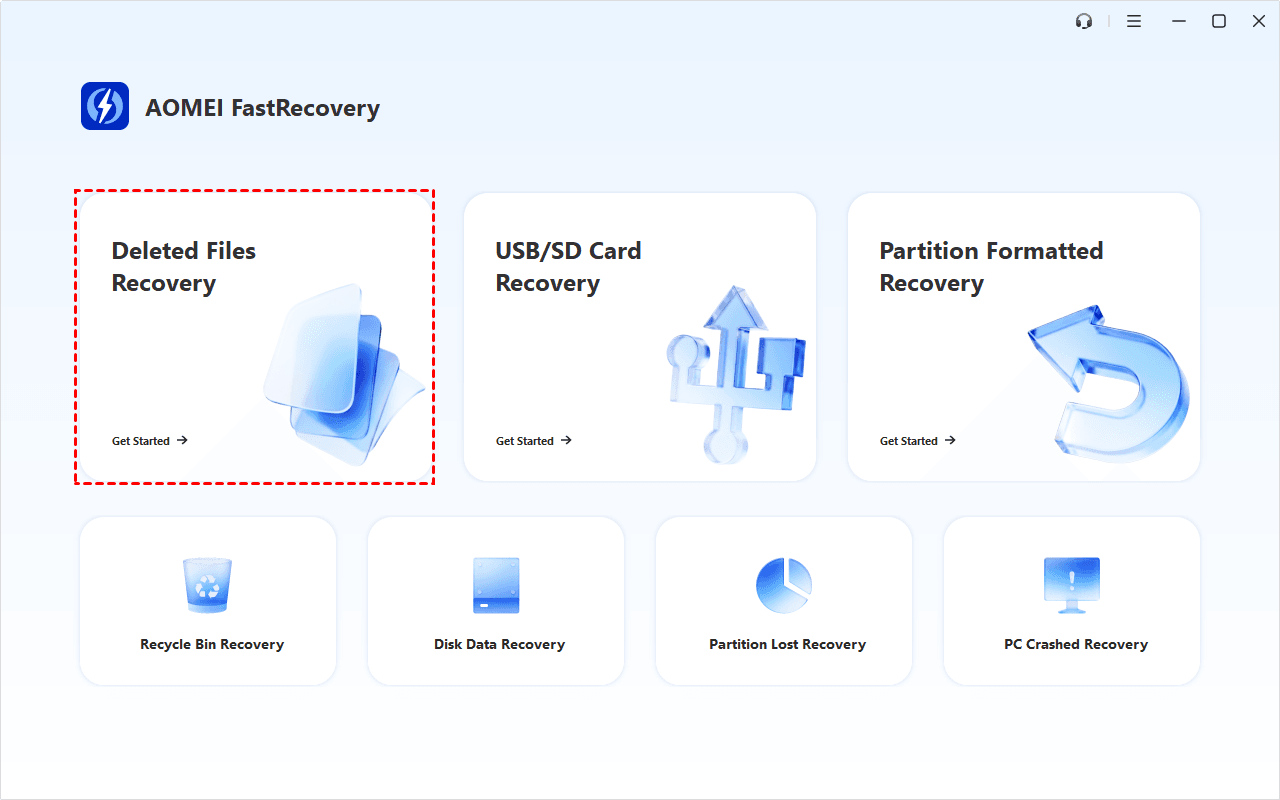
Step 1. Open FastRecovery after installing. Then, click Deleted Files Recovery to get started.
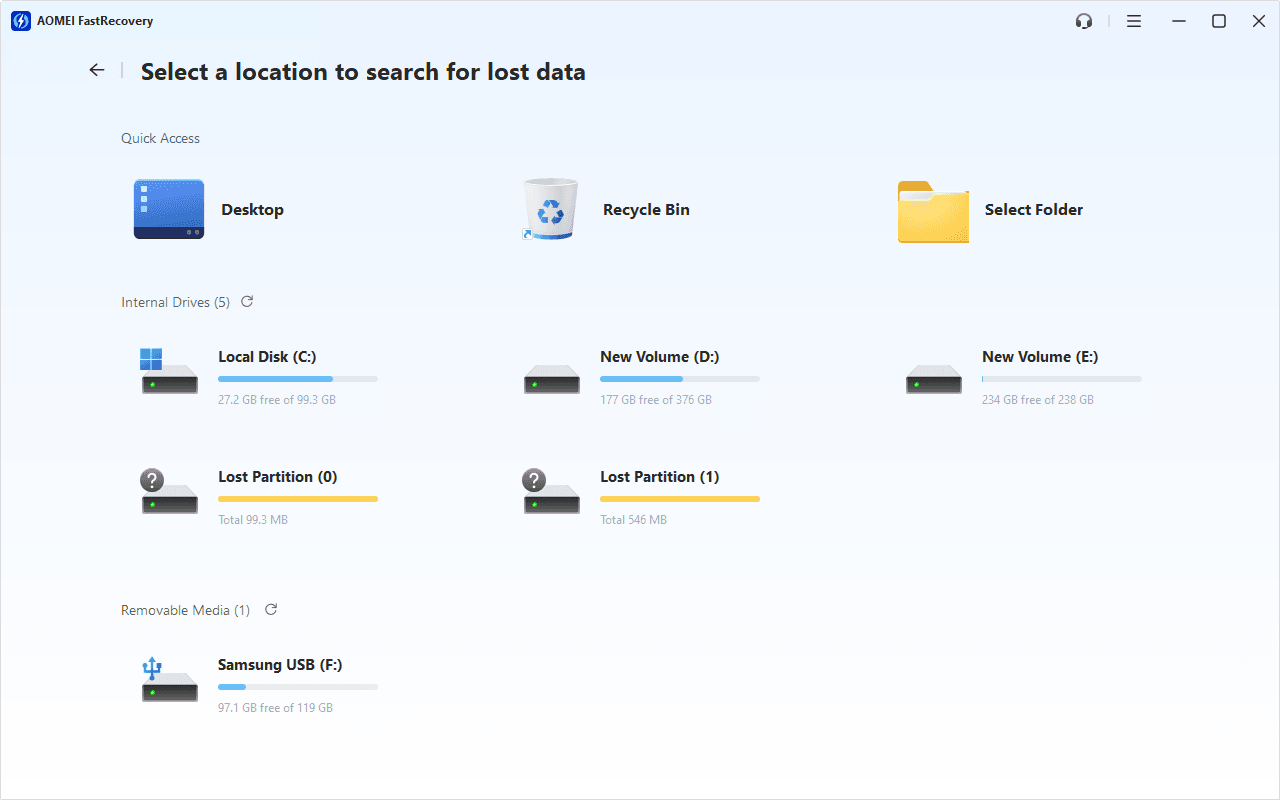
Step 2. You'll see a list of devices. Hover the mouse over the drive containing shortcut infected files, and click Scan to start the quick scanning process and display all recoverable data.
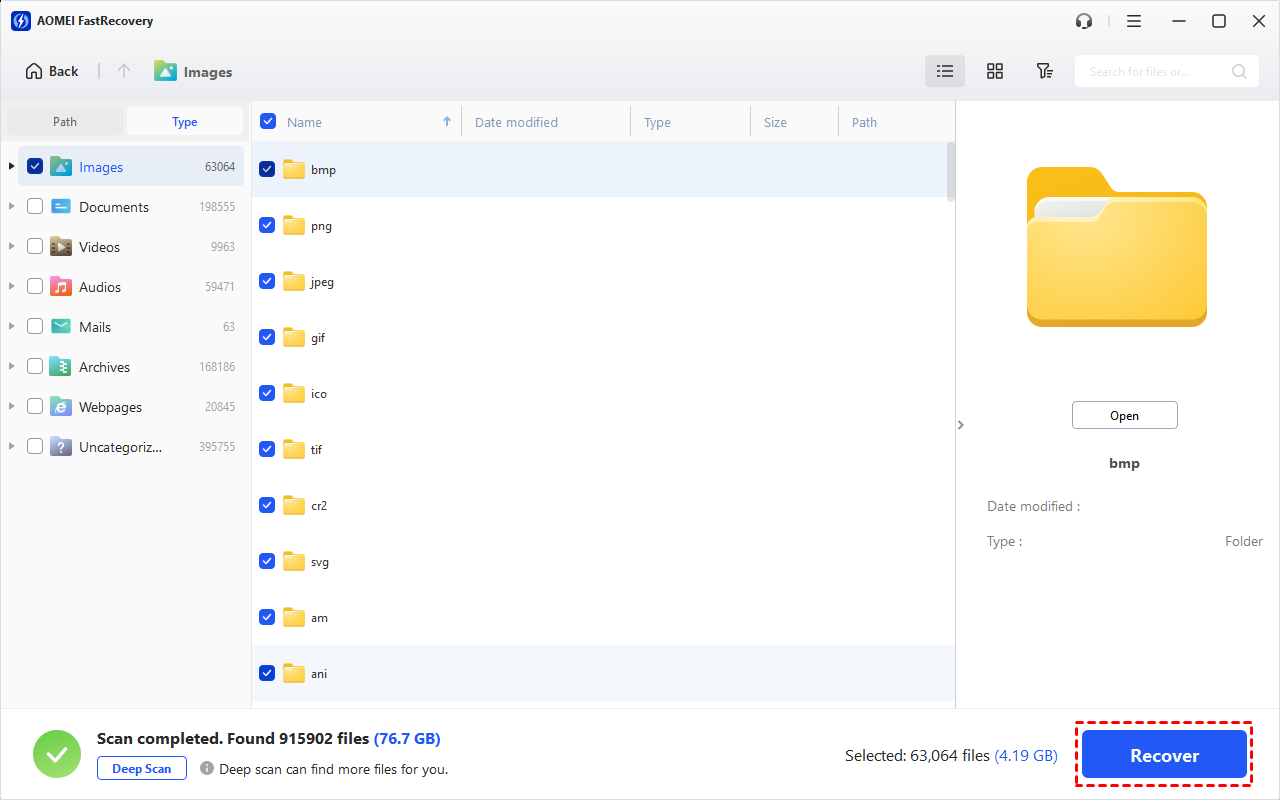
Step 3. Under the Type section, specify a data type (e.g., Images) and expand it to see all data formats. You can sort them or search the name for quick recovery.
-
You can also locate deleted files by Path if you remember this.
-
Click the Deep Scan button if the Quick Scan fails. Deep Scan searches every sector of the disk to find more files.
Step 4. Select the shortcut files you want and then click Recover to recover files infected by shortcut virus. Please select a new location to save them instead of original location, preventing data overwriting.
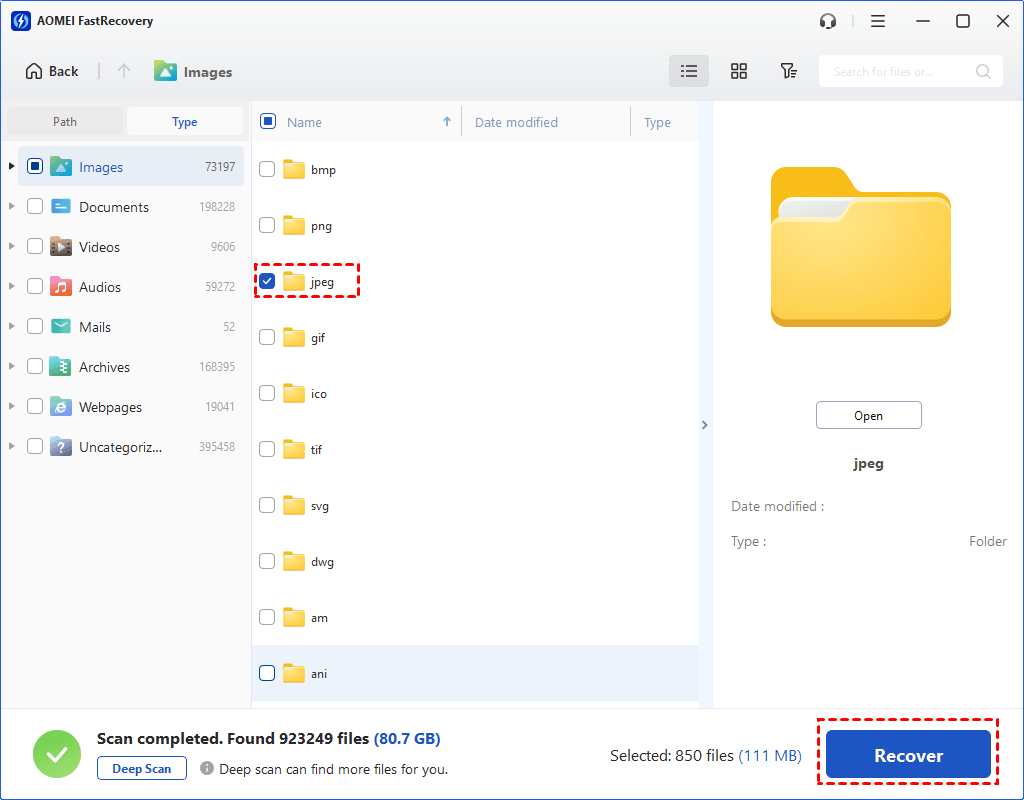
You will be asked to upgrade to the advanced edition of AOMEI FastRecovery to enjoy unlimited data recovery. The free edition supports up to 500MB.
Conclusion
If you encounter a shortcut virus, or install it on a public computer or open an online malware, remember that you can easily recover your data. You just have to remember that only the right file recovery software and the right way can get you out of any dangerous situation.
Do not put your USB in public computers and prevent yourself from opening malware online. Just backup your data when you feel comfortable in your daily life.

 as a preferred
source on Google
as a preferred
source on Google