


Is Sandisk SSD Good for Gaming? Answered!
Is Sandisk SSD good for gaming? This post offers a detailed answer and a step-by-step cloning method to move everything to new SSD easily.

By Jonna Updated on August 14, 2026


Is Sandisk SSD Good for Gaming?
Stuck loading screens or running out of storage on your gaming laptop or PC? Since we have talked about whether SSD or HDD for gaming is better previously, here we focus on the topic - is Sandisk SSD good for gaming? Keep reading to get a clear answer.
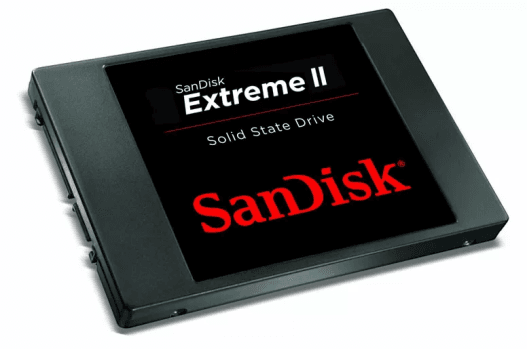
Yes, SanDisk SSDs are good for gaming. But as with most varied questions, the real answer depends on how you game, what system you're using, and which SanDisk SSD you choose. Before we dive deep, let's quickly outline what really influences gaming performance when it comes to SSDs:
|
Factors |
Impact on Gaming Performance |
|
Read/Write Speed |
Faster loading screens, smoother texture streaming, reduced in-game stutter |
|
Interface Type (SATA vs NVMe) |
NVMe offers significantly higher bandwidth |
|
Storage Capacity |
Determine how many large games you can store at once |
|
Endurance & Reliability |
Stable long-term performance and safe data storage |
|
Portability (Internal vs external) |
Internal SSDs generally perform better than portable units |
SanDisk SSDs excel in the areas gamers care about most, including faster game loading times, quicker OS boot-up, more responsive system performance, etc. May you still wonder: is Sandisk Extreme Portable SSD good for gaming or are external SSD good for gaming PC? Yes. And the most popular options include:
- SanDisk Extreme Portable SSD
- SanDisk Ultra 3D NAND SSD
- SanDisk Extreme Pro NVMe SSD
- SanDisk SSD Plus
Best SanDisk Cloning Software Free Download
To migrate smoothly to a new SanDisk SSD, you'll need dependable SanDisk SSD clone software. Among the available options, AOMEI Cloner is a go-to option for disk migration and offers a seamless experience for everyone. Some of its features include:
 AOMEI Cloner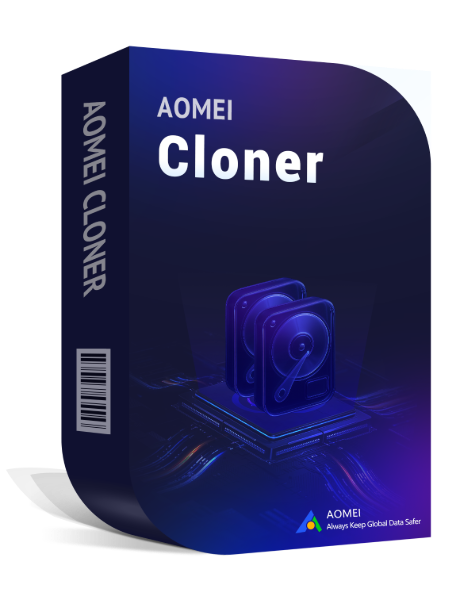
- Disk Clone & System Clone: Clone entire HDD or SSD, including OS, games, settings, and personal data, without reinstalling anything, or just clone Windows OS.
- Intelligent Clone: Copy only used sectors, allowing you to clone a larger HDD to a smaller SanDisk SSD effortlessly.
- SSD Alignment: Optimize performance and extend the SSD lifespan, which is critical for gaming workloads.
- Wide Compatibility: Fully support SATA, NVMe, M.2, and USB-connected SanDisk SSDs from various series.
 100% Secure
How to Clone HDD/SSD to Sandisk SSD - Step-by-Step
You can follow the stepwise guide below to figure out how to migrate from old drive to Sandisk SSD, including games, downloads, and all other data with one click.
Step 1. Connect the SanDisk SSD properly via SATA or USB, or directly install it internally via a spare SATA port.
Step 2. Run the best Sandisk cloning software - AOMEI Cloner, select Disk Clone.
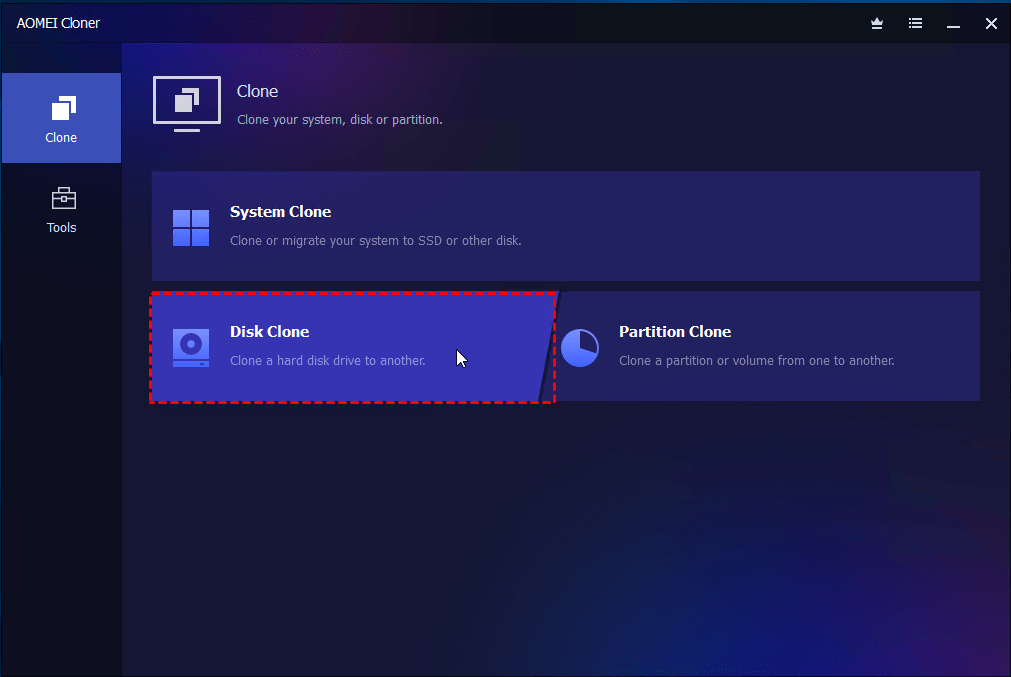
Step 3. Click on Select Source Disk to choose your existing HDD or SSD that contains your games.
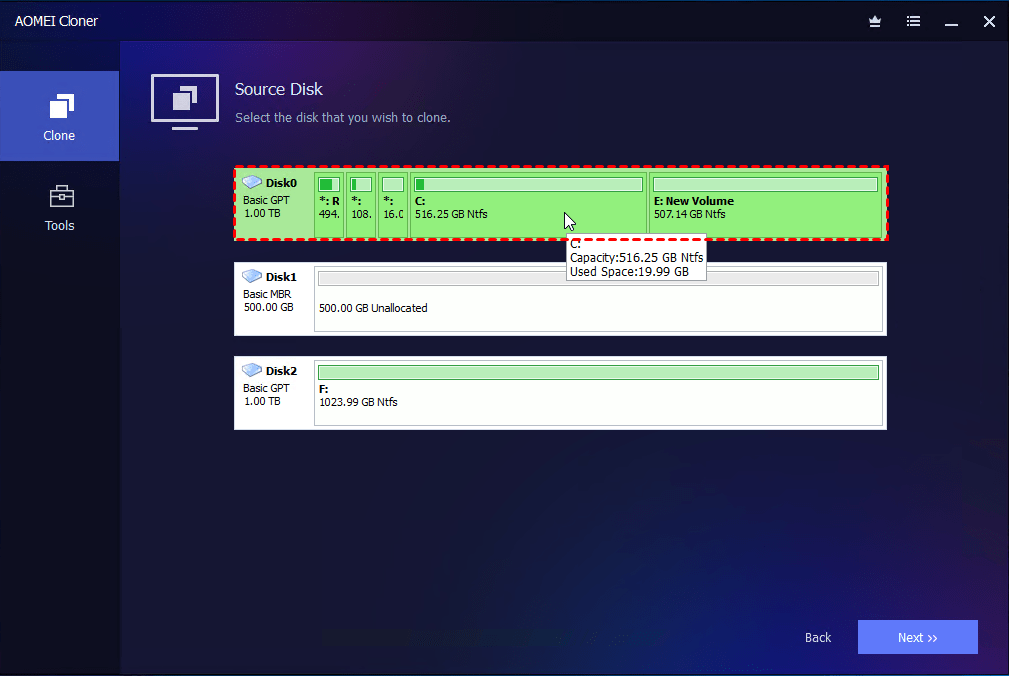
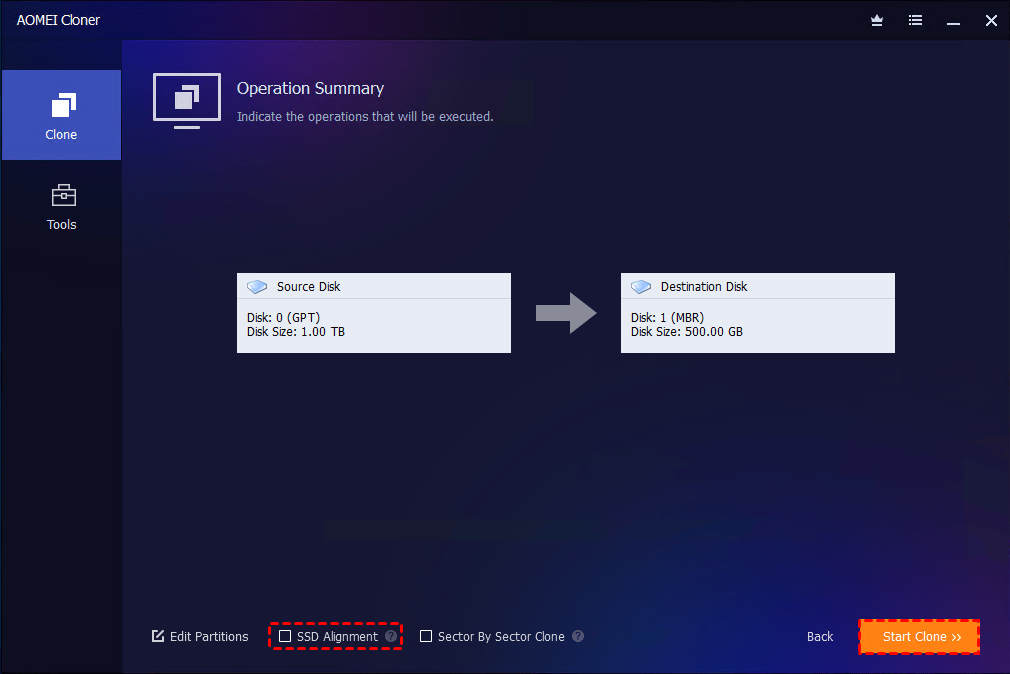
Step 4. Then, click on Select Destination Disk to pick your SanDisk SSD as the target. Then, tick SSD Alignment for better performance and longevity. Click Start Clone.
- Notes:
- When cloning to a larger SSD, if the partition is not resized, there may be unallocated space. You can use Edit Partitions to resize partitions and fully utilize the additional disk space.
- After the cloning process is completed, you can replace or disconnect the old drive or adjust the system’s boot priority in BIOS to boot from the new SanDisk SSD.
FAQs on Using Sandisk SSD for Gaming
#1. Can I use a SanDisk SSD for gaming?
Absolutely. SanDisk SSDs are excellent for gaming thanks to their speed, durability, and reliability. Whether internal or external, they significantly improve load times and system responsiveness.
#2. Can SSD reduce lag in games?
SSDs usually don't increase FPS directly, but they do reduce:
- Stuttering caused by asset streaming
- Long loading screens
- Texture pop-in
#3. Does it matter what SSD you get for gaming?
Definitely. Factors that matter include:
- NVMe vs SATA interface
- Read/write speeds
- Cache and controller quality
- Thermal performance
SanDisk offers models across all these categories, making it easier to match your needs.
#4. What is a good SSD size for gaming?
Modern games are huge. Here's a rough guide:
- 500GB - Bare minimum (OS + a few games)
- 1TB - Sweet spot for most gamers
- 2TB+ - Ideal for large libraries and future-proofing
Conclusion
So, for the question - is Sandisk SSD good for gaming, the answer is definitely yes. Whether you are building a new PC, upgrading drive on a gaming laptop, or expanding storage with a portable drive, SanDisk SSDs have various options that meet the requirements. And AOMEI Cloner makes it simple to move all data from old drive to a new Sandisk SSD. Its easy-to-use interface and all-around cloning features ensure a smooth, hassle-free data migration. Just give it a try!

 as a preferred
source on Google
as a preferred
source on Google